
How are access statements and tax documents

Silo Markets provides electronic access to important account documents, including account statements and tax documents. Keeping your documents online makes it easier to review your account history and access records when you need them.
This article explains where to find your documents, how to switch to paperless delivery, and what to do if a statement is missing or appears to be labeled incorrectly.
Where Can I Find My Statements and Tax Documents?
Your available account statements and tax documents are stored within your Silo account.
To access your documents:
- Sign in to your Silo account.
- Open the Documents section.
- Select the document you want to view.
- Open or download the document for your records.
Statements and tax documents may become available at different times depending on your account activity and the document type.
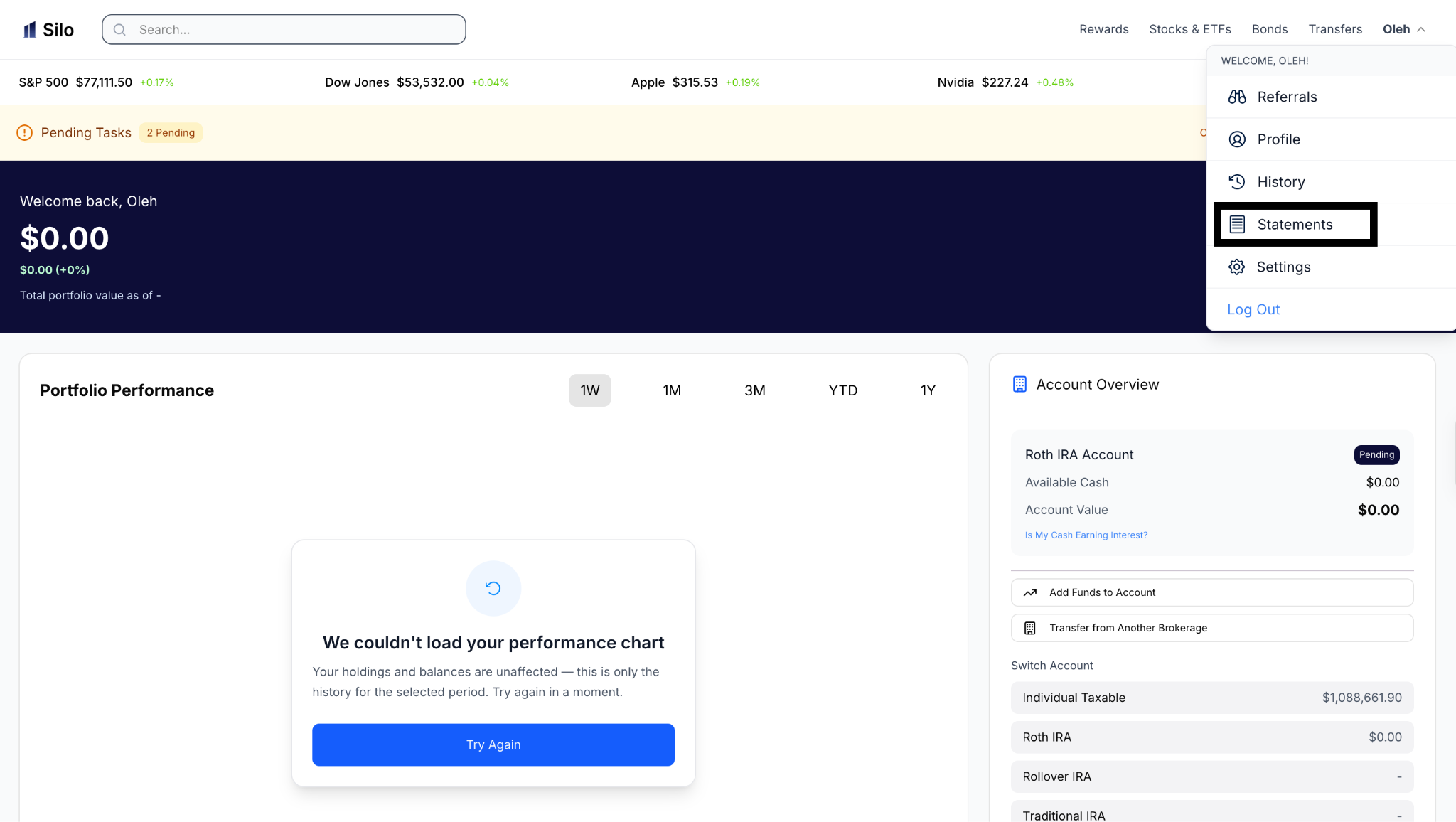
Step 1: On the Silo Portal, Click on Username, and Click on Statements
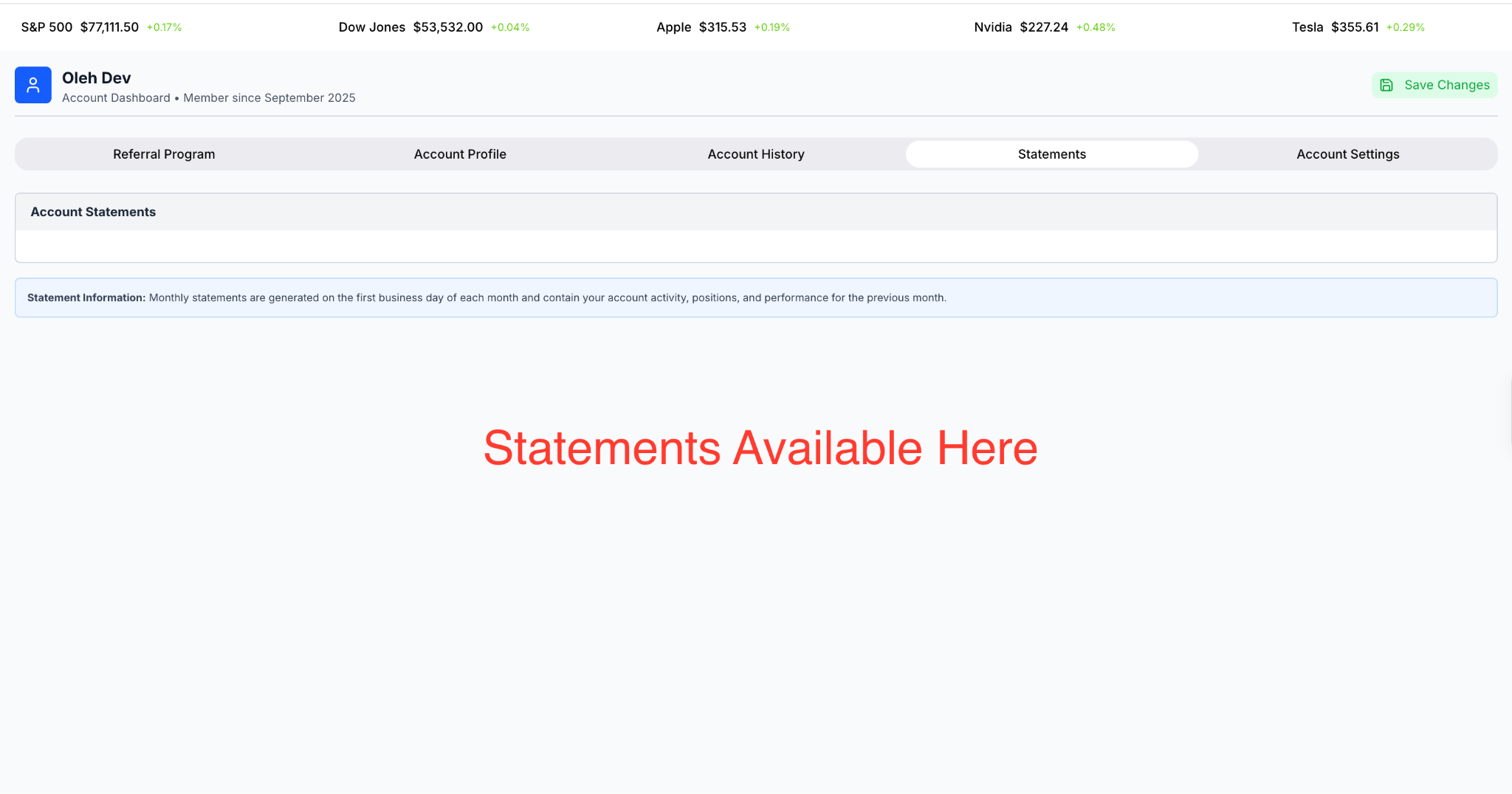
Step 2: Access Statements Here
How Do I Go Paperless?
Going paperless allows eligible account documents to be delivered electronically instead of by mail.
Once enabled, you can access eligible documents electronically through the Documents section.
Please reach out to Silo Support to request instructions on how to opt into paperless delivery
What Should I Do If My Statement Is Missing?
If you expected a statement but cannot find it:
- Check the Documents section and make sure you are viewing the correct account.
- Confirm that you are looking at the correct statement period.
- Check whether the document has been recently generated and is still processing.
- If the statement should be available but is not showing, contact Silo Support.
If you receive paper statements, also allow sufficient time for postal delivery before reporting a document as missing.
What If My Statement Is Mislabeled?
If a statement appears to have an incorrect account name, account number, document type, or statement period, contact Silo Support for assistance.
Do not rely on a document that appears to contain incorrect information until the issue has been reviewed.
When contacting support, provide the relevant document type and statement period. Never send your password, authentication codes, or other account credentials.
