How Do External IBKR Transfers Work

When transferring investments between Silo Markets and an external Interactive Brokers (IBKR) account, you may be able to transfer eligible cash and investment positions between the accounts.
This article explains how to start an external IBKR transfer, select the appropriate transfer method, provide the required account information, and submit the assets you want to transfer.
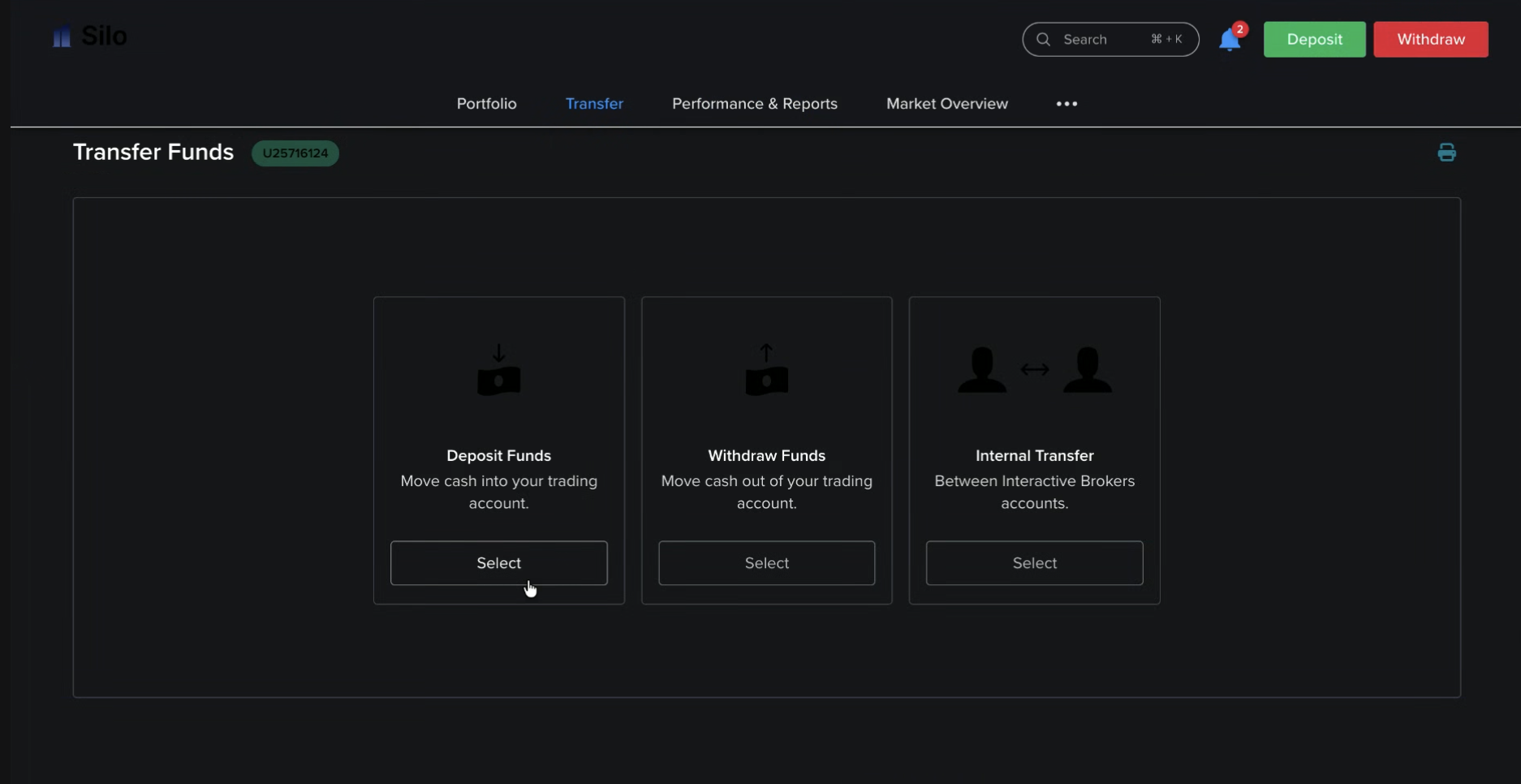
1. Start a Transfer
To begin an external IBKR transfer:
- Select Transfer Funds.
- Choose the transfer option you would like to proceed with.
- Follow the instructions provided on the transfer screen.
Make sure you select the option that corresponds to transferring assets to or from an external IBKR account.
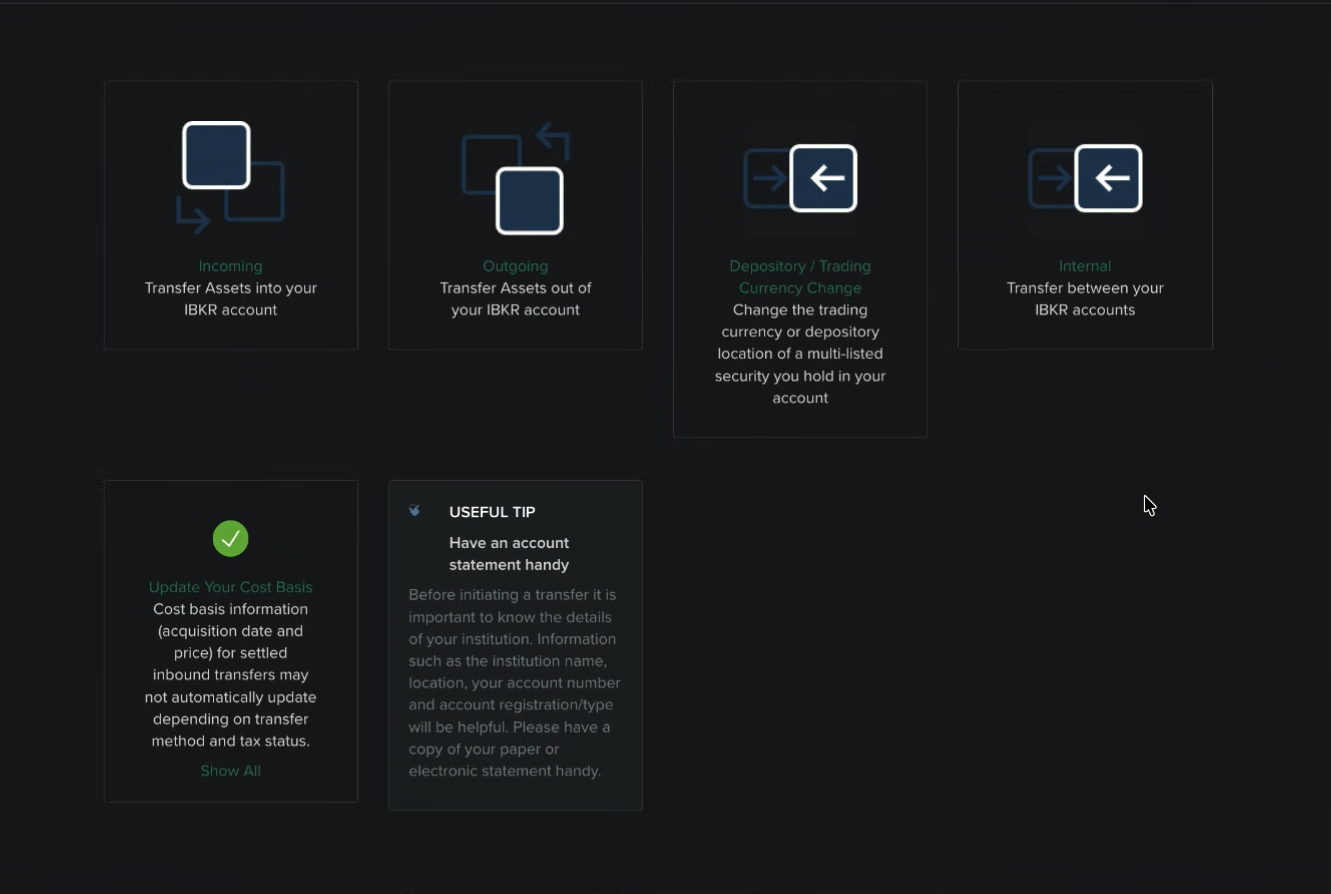
2. Understand How the Process Works
Before submitting your transfer, review the transfer instructions carefully.
The process generally requires you to:
- Identify the account you are transferring assets from and to.
- Select the appropriate transfer method.
- Provide the required account information.
- Select the assets or positions you want to transfer.
- Review the transfer details before submitting the request.
Transfer timing may vary depending on the transfer method, assets involved, and the institutions processing the request.
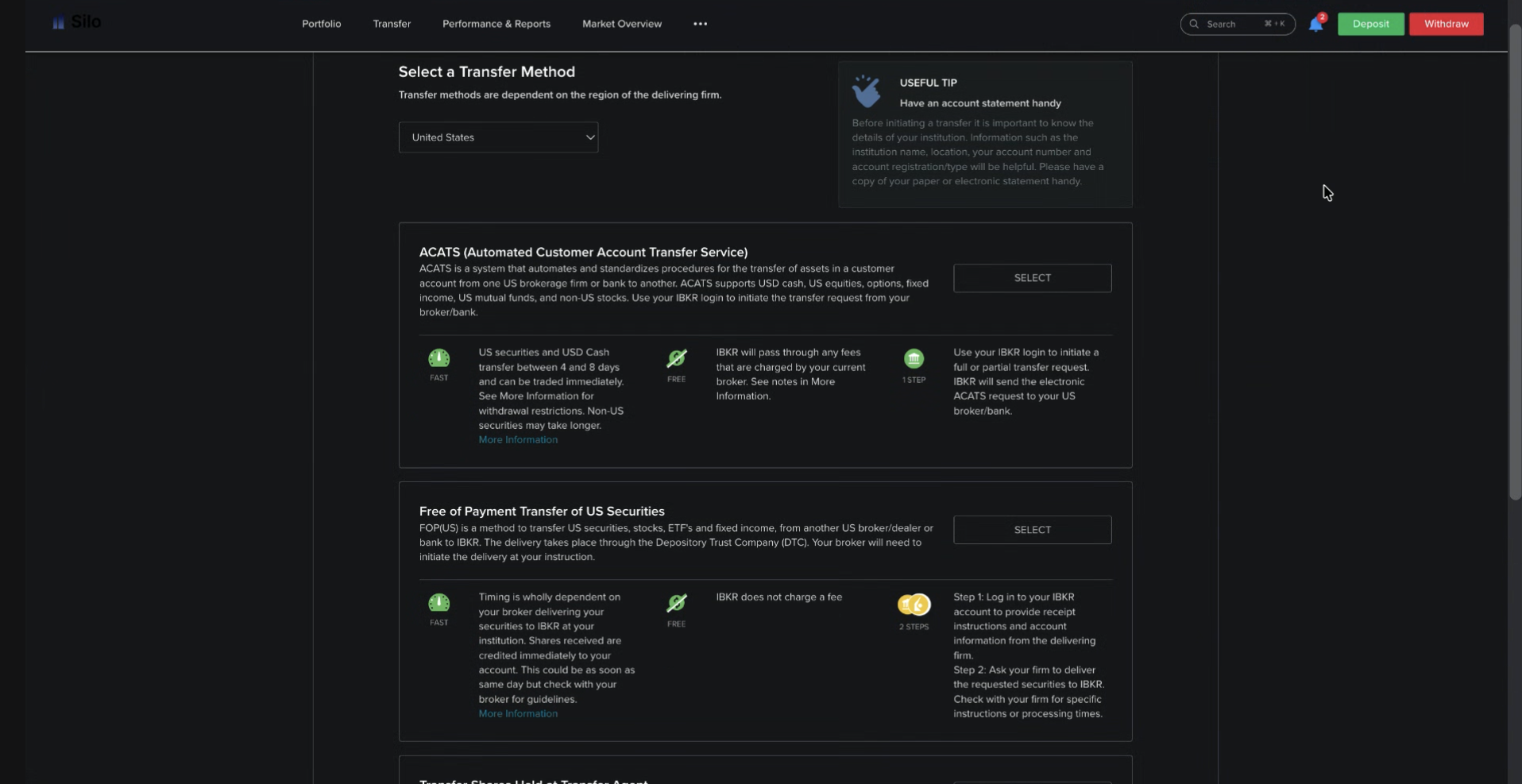
3. Select the Transfer Method
Select the transfer method that applies to your external IBKR transfer.
Depending on the available options, you may be asked to provide information such as:
- The receiving or delivering institution
- Your IBKR account information
- Account type
- Transfer method
- Other information required to identify the destination account
Important: Make sure all account information is entered accurately. Incorrect information may delay the transfer or prevent it from being processed.
4. Transfer Positions and Enter All Information
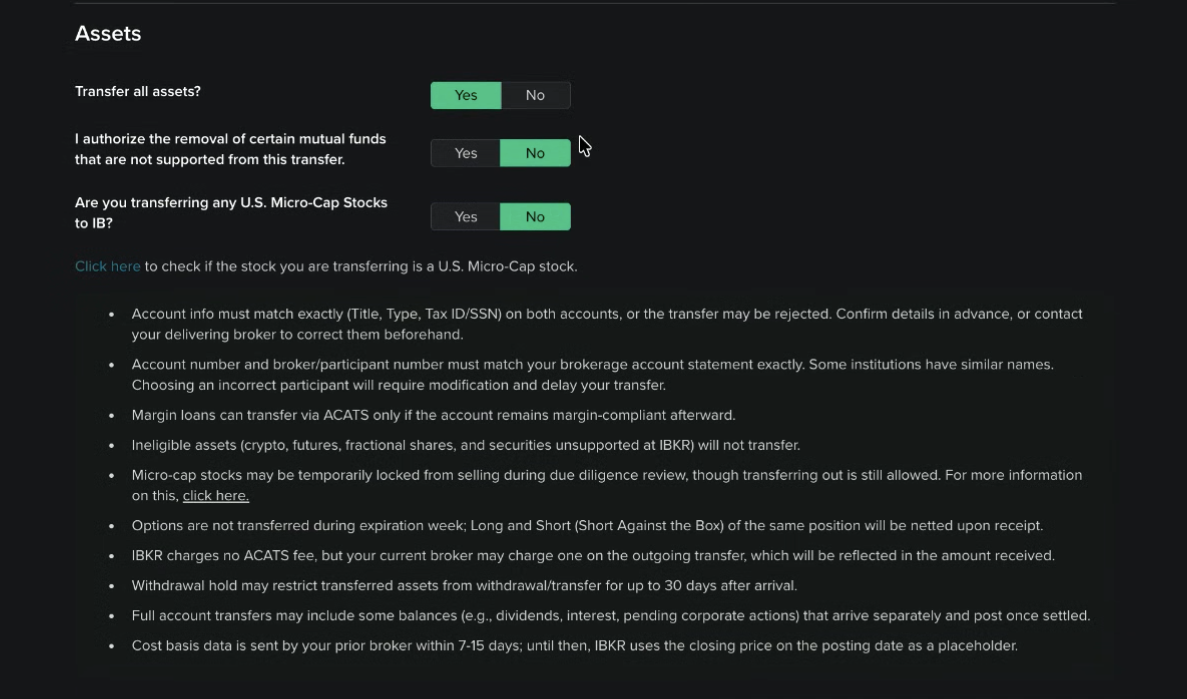
If you are transferring investment positions, select the assets you want to transfer and enter the required information.
Before continuing, verify:
- The correct positions are selected.
- The quantities are correct.
- The receiving IBKR account information is accurate.
- The account type is correct.
- All required fields have been completed.
If you only want to transfer certain positions, make sure you do not select an option that transfers your entire account.
5. Transfer Assets
After entering all required information:
- Review the transfer summary.
- Confirm that the selected assets and quantities are correct.
- Verify the external IBKR account information.
- Submit the transfer request.
Once submitted, the transfer will be processed according to the applicable transfer procedures and timelines.
If the transfer requires action or approval from the external institution, you may need to complete additional steps with IBKR before the transfer can be completed.
Transfer Process at a Glance
Step 1: Select Transfer Funds and the option you would like to proceed with.
Step 2: Understand how the transfer process works.
Step 3: Select the appropriate transfer method.
Step 4: Select your transfer positions and enter all required information.
Step 5: Review and submit the transfer of assets.
Step 1: Select Transfer Funds and the Option That You Would Like to Proceed With
Step 2: Understand How the Process Works
Step 3: Select The Transfer Method
Step 4: Transfer Positions, Enter all Information
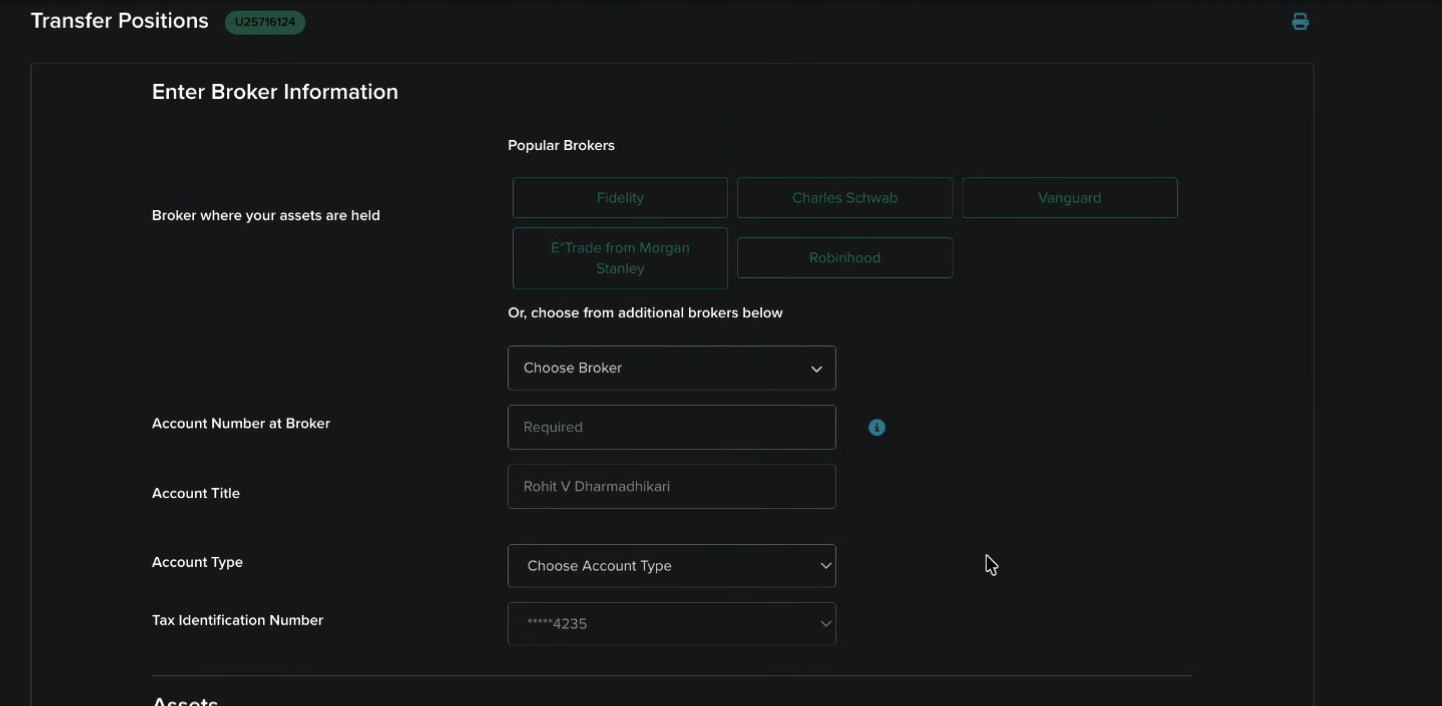
Step 5: Transfer Assets