
How do I cancel or change my Rewards Membership tier?

Silo Rewards offers different membership tiers with different fees, point-earning limits, and benefits. If your investing needs change, you may want to switch to a different tier or cancel your Rewards membership.
This article explains how to manage your membership and what to consider before making a change.
1. How Do I Change My Rewards Tier?
To change your Silo Rewards tier:
- Sign in to your Silo account.
- Open the Rewards or membership section.
- Review the available Rewards tiers.
- Select the tier you would like to change to.
- Review the applicable annual fee, points limits, and benefits.
- Confirm the change.
The availability and timing of tier changes may depend on the current terms of your Rewards membership.
2. Manage Membership
You can update, modify, or cancel your Silo Rewards membership directly through your account settings. Below are details on how to manage your membership effectively.
Cancellation
If you wish to cancel your Silo Rewards membership, navigate to your account settings under the Rewards section and select Cancel Membership. Follow the on-screen prompts to confirm your request.
Before finalizing your cancellation, please keep the following important considerations in mind:
- Accumulated Points: Any remaining points may be forfeited or subjected to expiration terms upon cancellation, in accordance with your Rewards agreement.
- Loss of Benefits: Tier-specific perks, enhanced point-earning rates, and exclusive rewards will end immediately or at the conclusion of your current billing cycle.
- Finality of Process: Once canceled, restoring your tier or points status may require re-subscribing under current terms and fees.
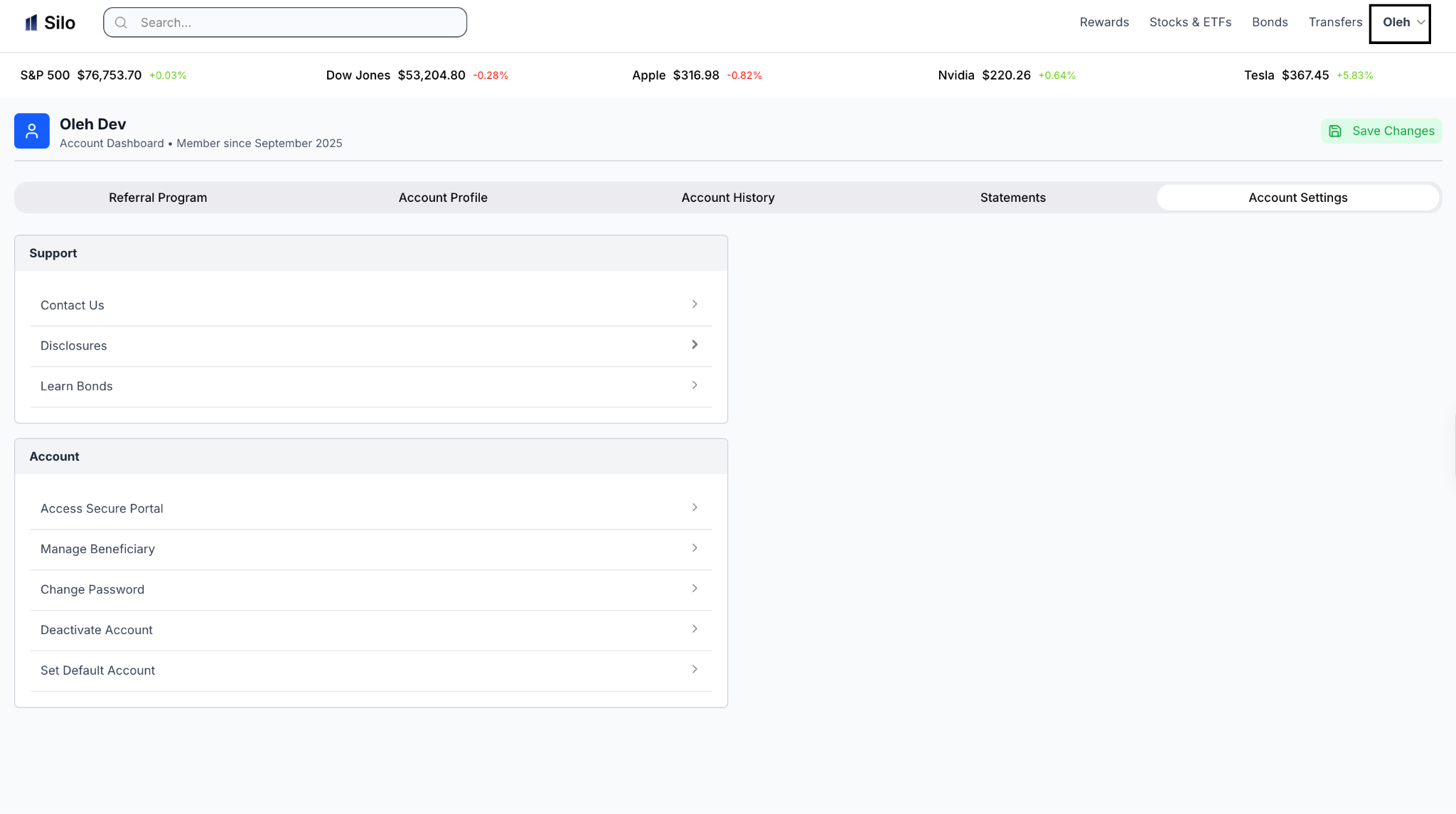
Step 1: Select Profile
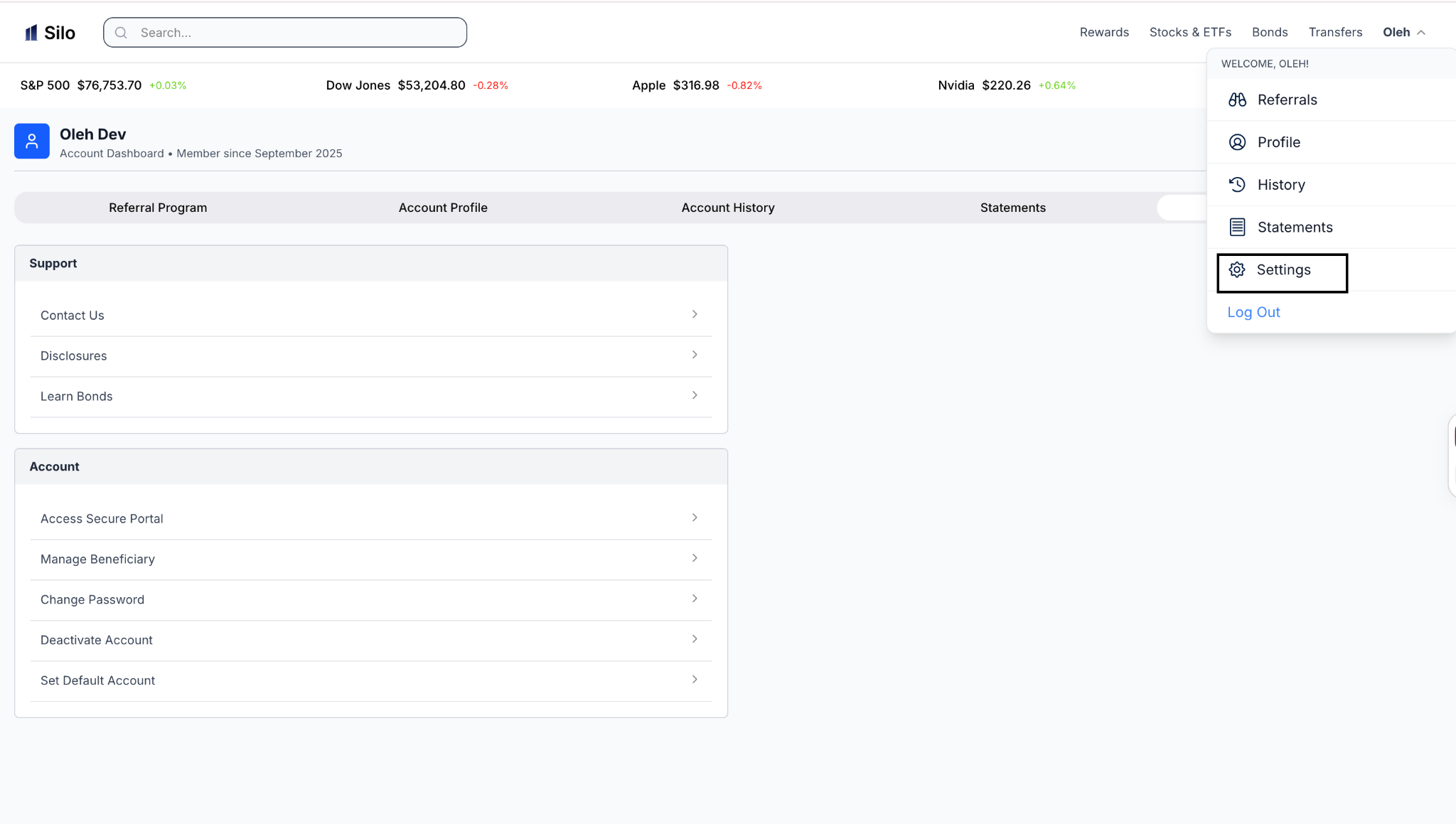
Step 2: Select, “Settings”
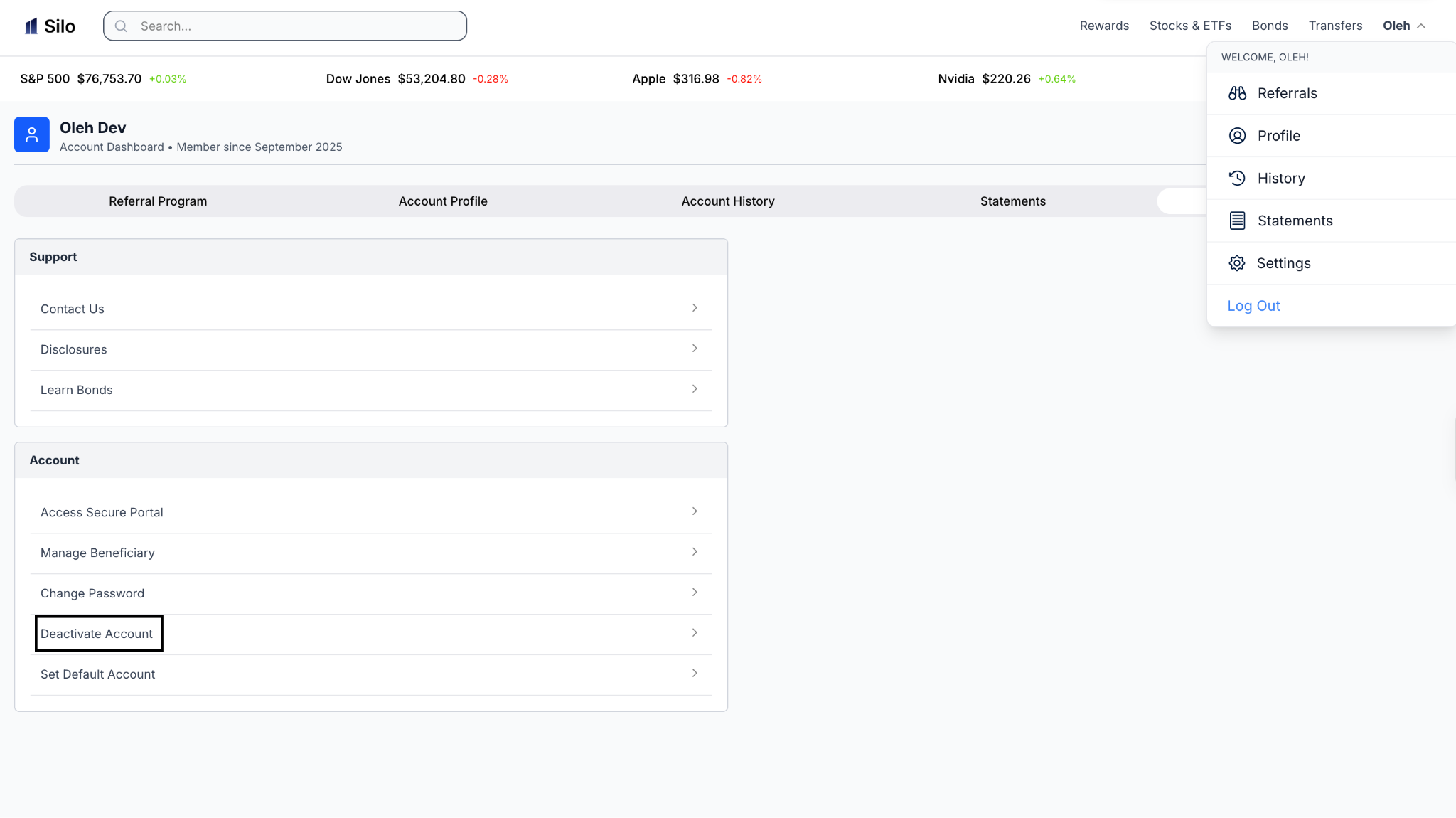
Step 3: Select, “Deactivate Account”
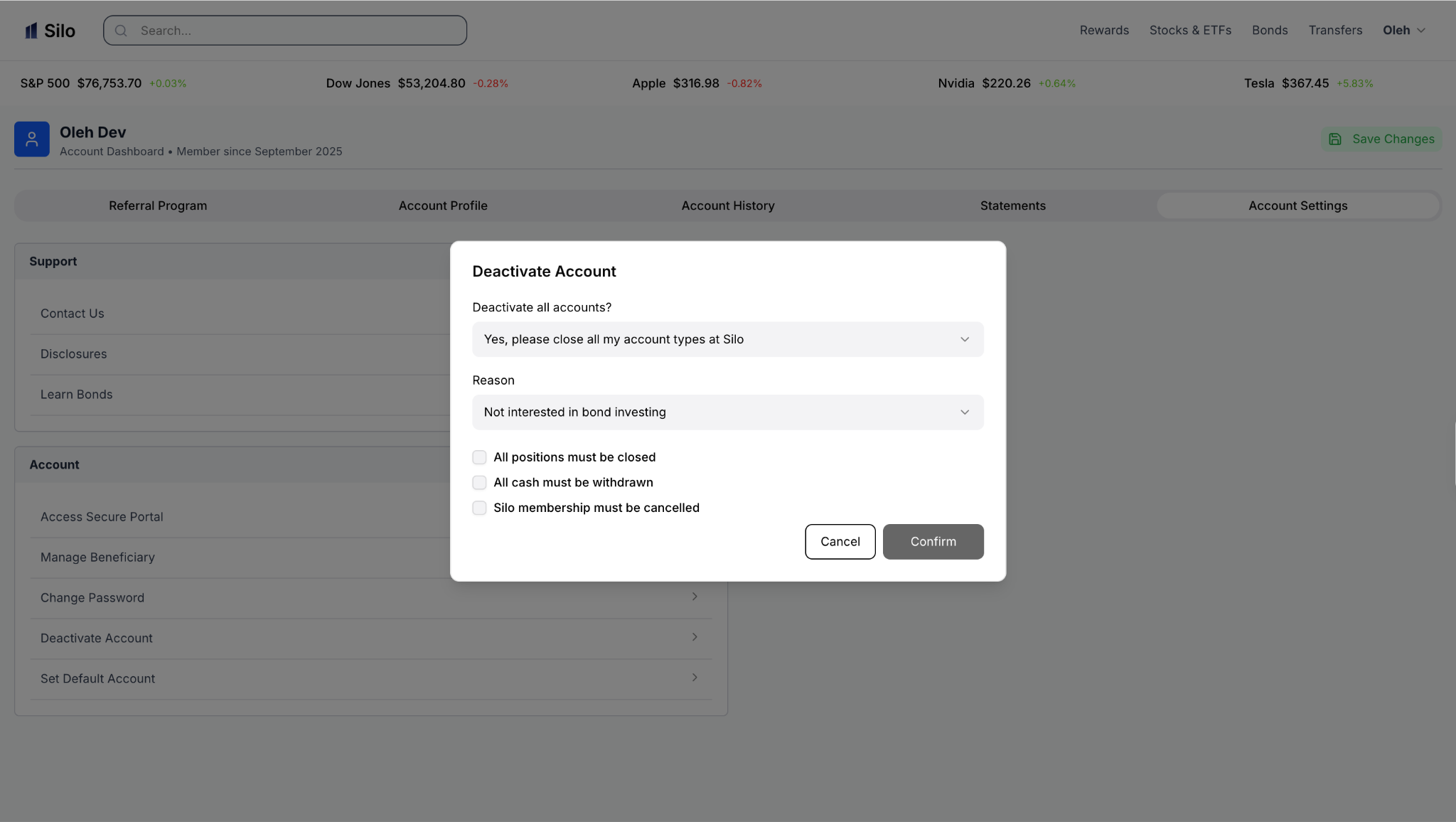
Step 4: Select, “Fill out the Form, and Deactivate Account”
Upgrades/Downgrades
To switch between membership tiers, go to the Rewards section in your account settings, choose your desired tier, and select Change Tier. Adjusting your tier incurs several key changes:
- Annual Fees: Upgrades or downgrades will adjust your recurring annual fee, which may be charged or prorated based on your plan terms.
- Point-Earning Limits & Rates: Your cap on annual points and the rate at which you accumulate points will adjust to match the rules of the new tier.
- Tier Benefits: Access to tier-specific features will update immediately upon confirming the tier change.
Changing Payment Method
To update billing information or change the payment method tied to your membership:
- Sign in to your Silo account and go to Account Settings.
- Select Billing & Payment Methods.
- Add a new credit card or payment option, or edit existing payment details.
- Set your preferred default payment method to ensure uninterrupted renewal of your membership.
3. What Happens to My Points if I Cancel?
The treatment of unused Silo Points after cancellation depends on the terms of your applicable Rewards agreement.
If you are considering canceling, review the current Rewards terms to understand what happens to any points you have accumulated and whether any inactivity period applies.
4. Will Changing My Tier Affect My Benefits?
Changing your Rewards tier may affect:
- Your annual membership fee.
- Your variable cash earn rate.
- Your combined annual point cap.
- Your monthly point earning limit.
- Your travel portal redemption rate.
- Other tier-specific Rewards benefits.
The applicable stock and ETF earning rate, cash earning rate, and any grandfathered benefits depend on your Membership Generation and Rewards Agreement.
