
How do I link my bank account via Plaid or manual entry?

Silo Markets allows you to connect an eligible bank account to your Silo account so you can transfer funds more easily. Depending on your bank and the options available, you may be able to connect your account through Plaid or enter your bank information manually.
This article explains both methods and what to do if you have trouble connecting your bank account.
How Do I Link My Bank Account With Plaid?
Plaid allows you to securely connect your bank account by signing in through your financial institution's connection flow.
To connect your bank using Plaid:
- Sign in to your Silo account.
- Go to the Bank Accounts or funding section.
- Select Add Bank Account.
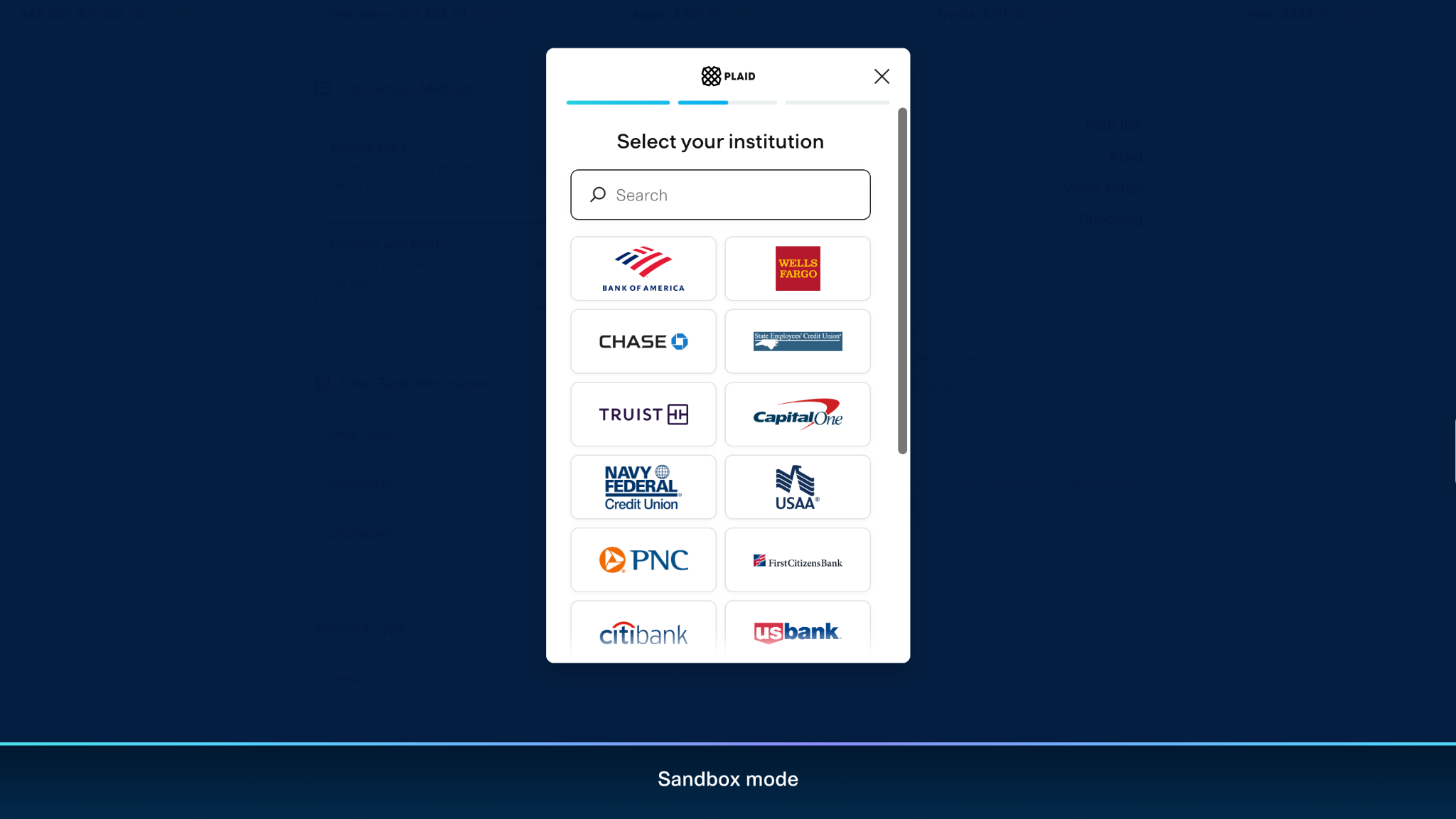
- Choose your bank from the available list.
- Follow the prompts to connect your bank through Plaid.
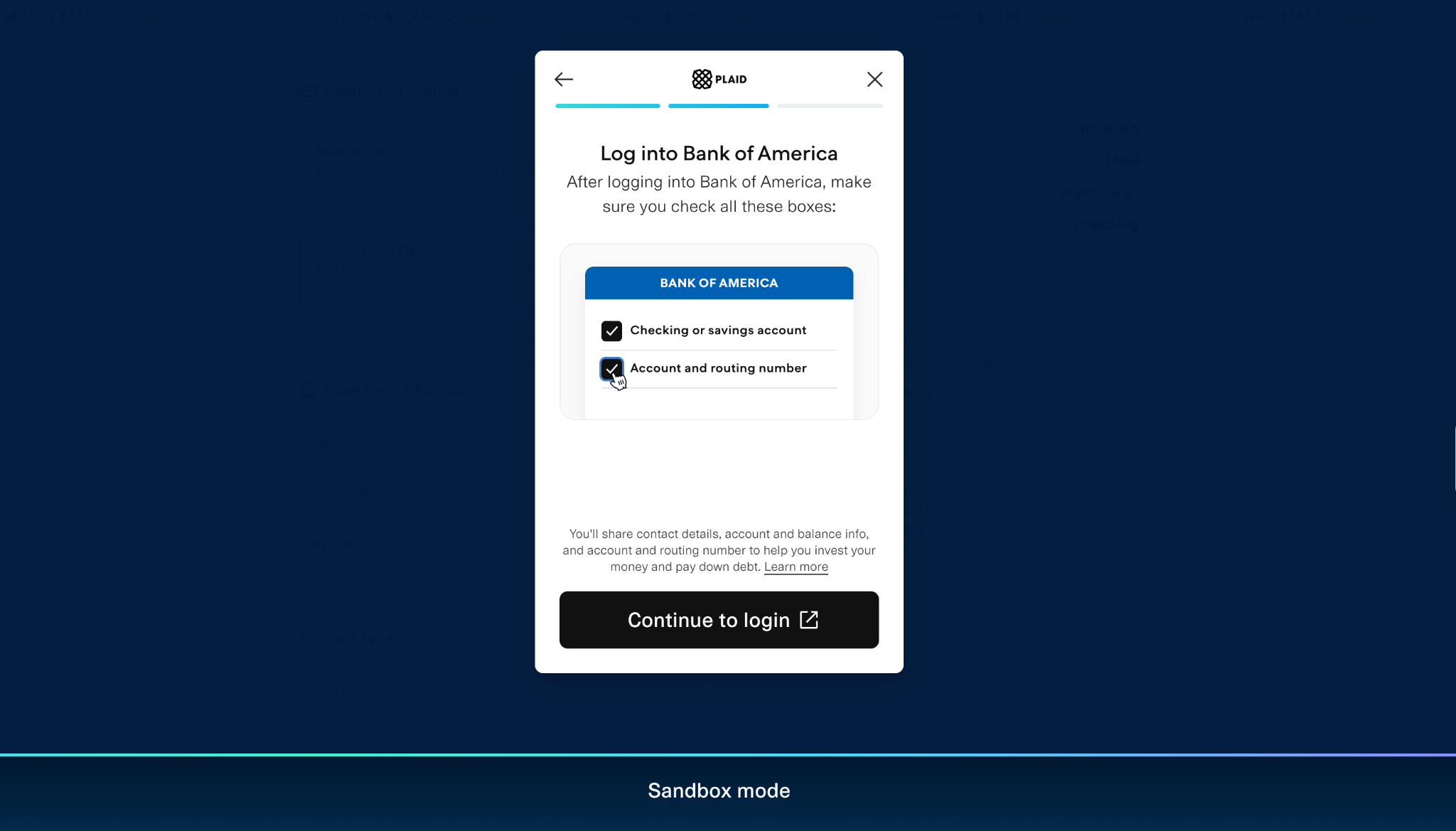
- Sign in using your bank's requested credentials.
- Select the eligible account you want to connect.
- Review the information and confirm the connection.
Once the connection is successfully completed, your bank account should appear as an available funding method.
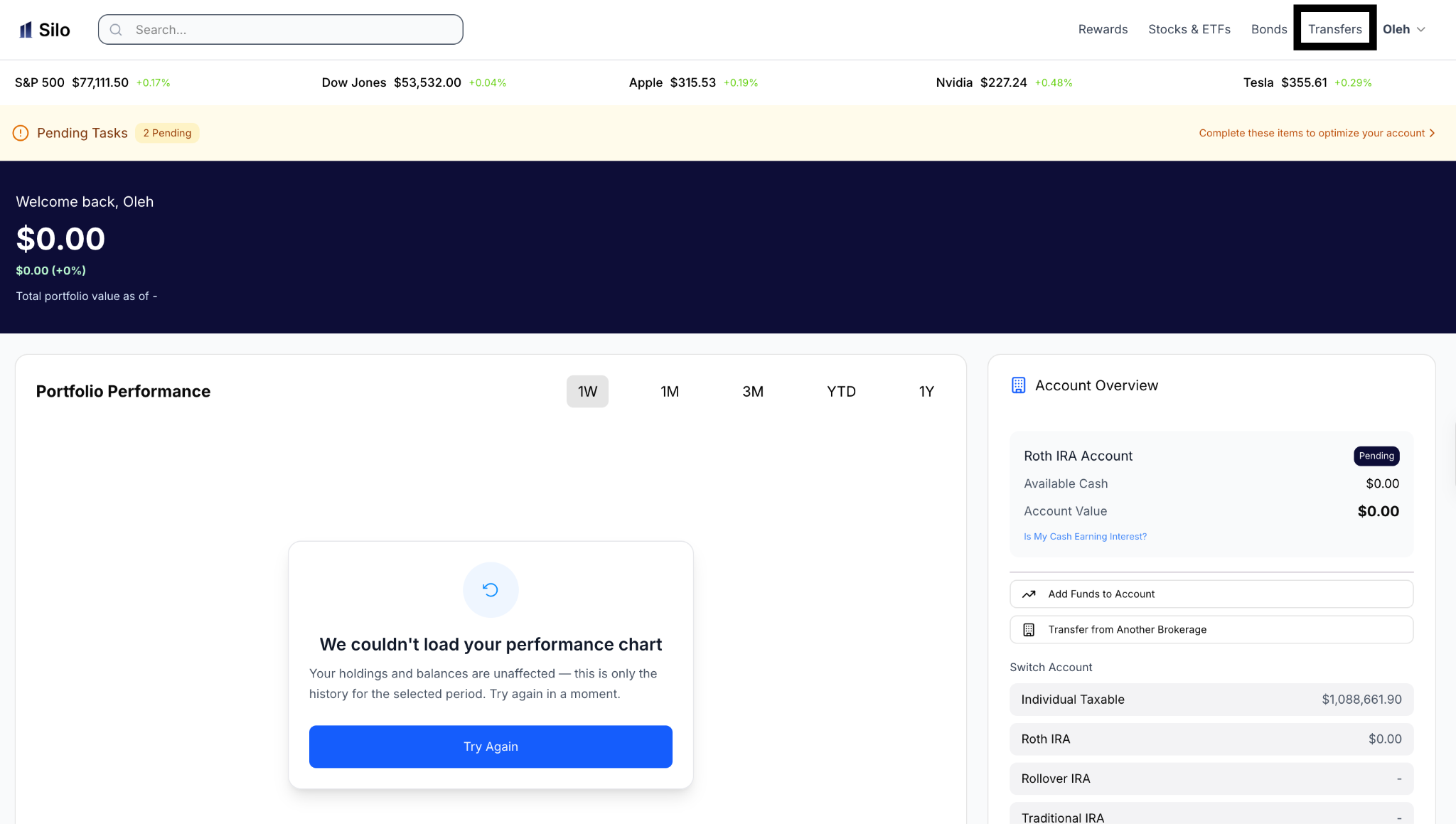
Step 1: Select Transfers on Silo Portal
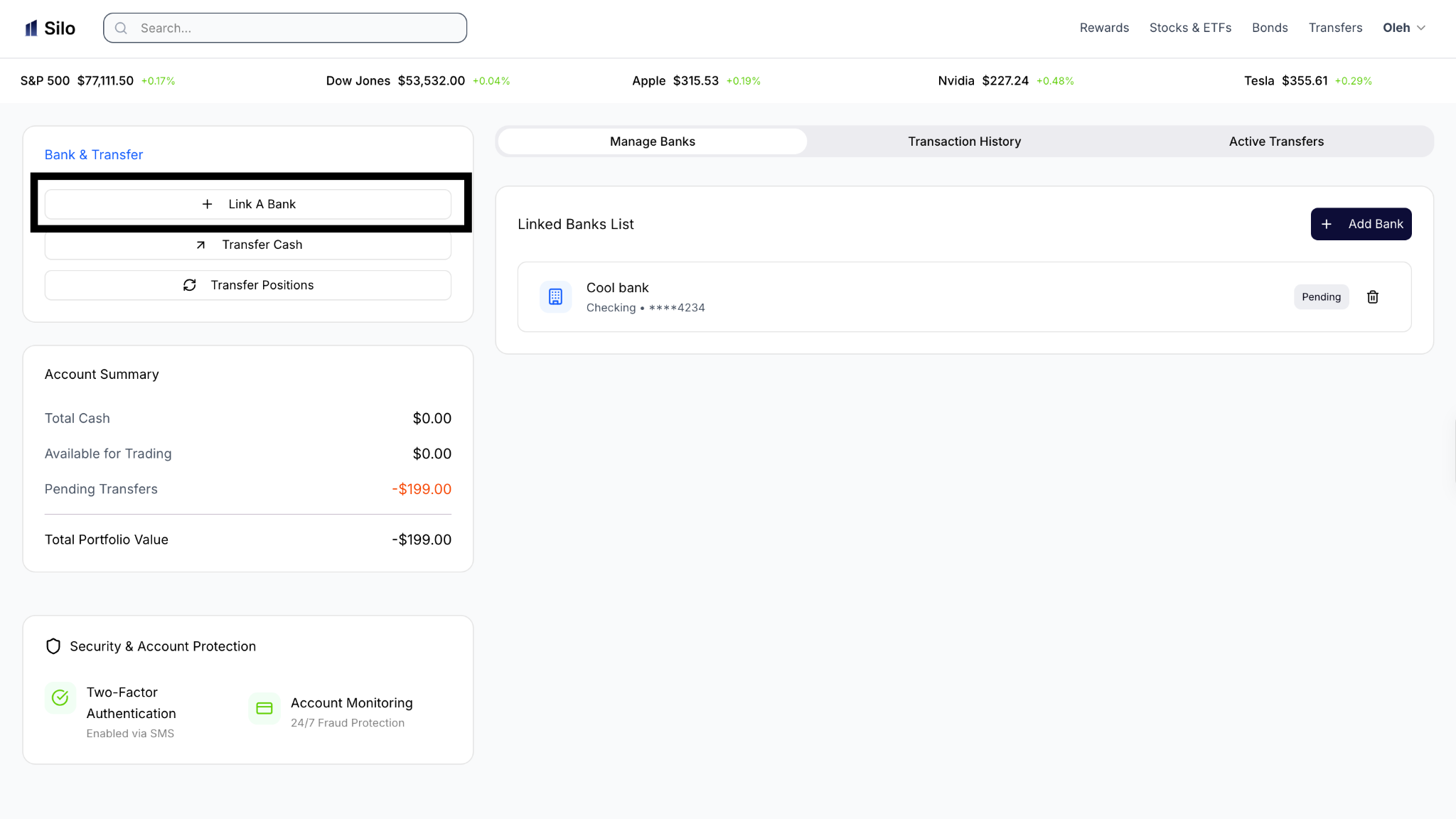
Step 2: Select, “Link a Bank”
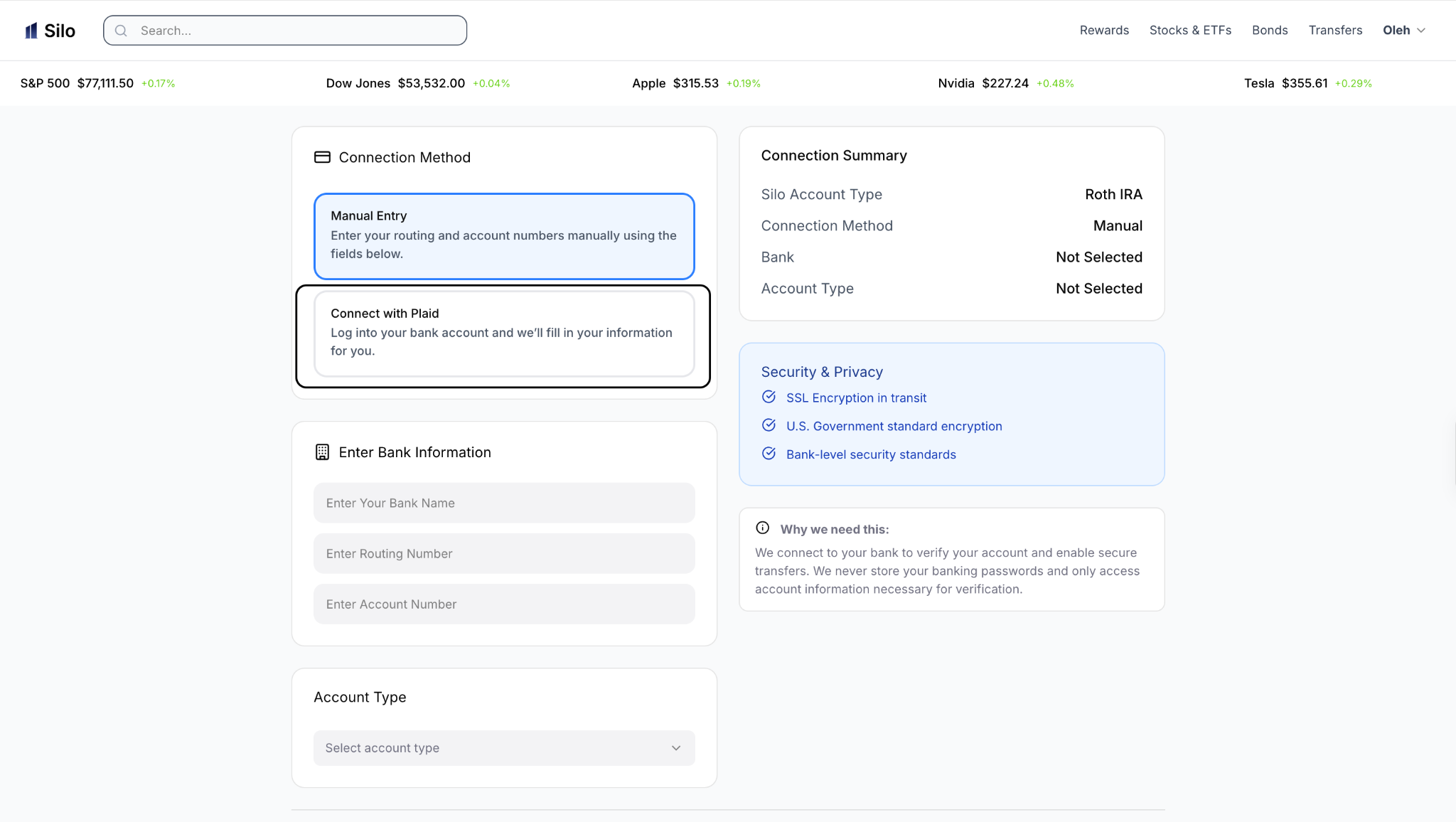
Step 3: Select, “ Connect with Plaid” Unless You Would Prefer Manual
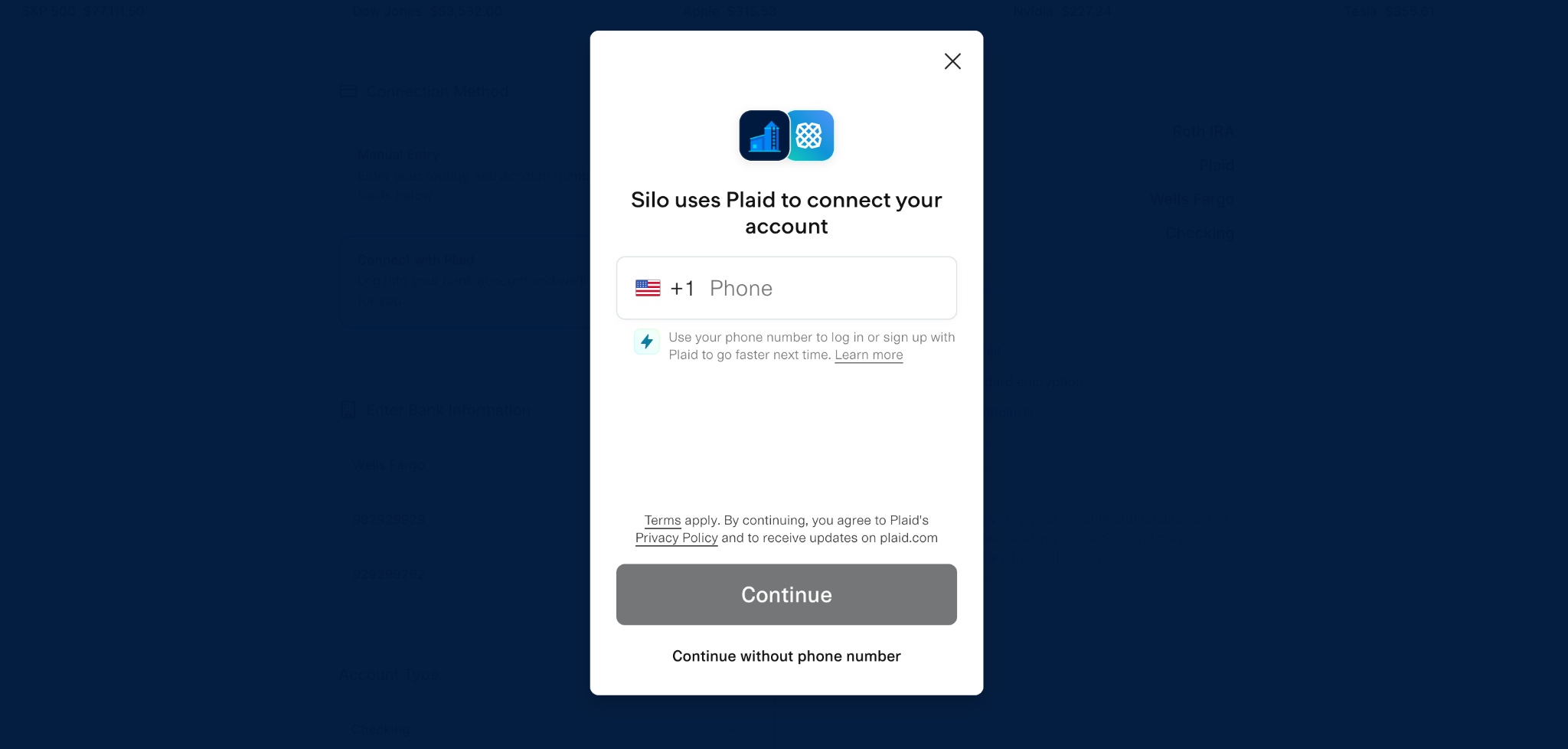
Step 4: Enter Phone Number for Plaid
Step 4: Select Bank Instuition to Link
Step 4: Log Into Bank
How Do I Link My Bank Account Manually?
If your bank is not available through Plaid or manual entry is offered, you may be able to enter your bank information yourself.
You may be asked for information such as:
- Bank name
- Bank routing number
- Bank account number
- Account type
What Happens After Manual Entry?
Depending on the verification method, Silo may use small verification deposits to confirm that you own the bank account.
If this happens, you may need to check your bank account for the verification amounts and enter the exact amounts in Silo.
Make sure you enter the amounts exactly as they appear in your bank account.
4. What If My Bank Account Won't Link?
If your bank account cannot be connected:
- Confirm that your routing and account numbers are correct.
- Make sure the bank account is eligible for connection.
- If using Plaid, try reconnecting through the bank-selection process.
- If using manual verification, wait for any verification deposits to arrive.
- Check whether Silo displays an error or additional instructions.
- Contact Silo Support if you continue to have trouble.
Avoid repeatedly entering incorrect verification information, as this may cause additional delays. If you encounter any of these issues, please contact Silo Customer Support.
