
How do I place my first trade?

Silo Markets is designed to make long-term investing simple. You can browse available investments, choose where you want to invest, and place trades through the appropriate Silo interface.
This article explains where to place trades, how trading works inside an IRA, and how to explore available investments before funding your account.
1. Where Do I Place a Trade?
Trades can be placed through the Silo Markets app or web portal, depending on the account and features available to you.
After signing in, navigate to the investing or trading section to browse available investments and place an order.
2. Can I Trade Inside an IRA?
Yes. If you have an eligible Silo IRA, you can place trades using the assets available in that retirement account.
Keep in mind that an IRA is a retirement account with specific tax rules. Trading within the IRA does not make the account the same as a taxable brokerage account, and withdrawals may be subject to applicable tax rules and restrictions.
3. Can I Browse Investments Before Funding My Account?
You may be able to browse available investments before adding funds to your account.
This allows you to review the investments available through Silo and familiarize yourself with the platform before deciding how to allocate your funds.
Browsing an investment does not mean that you have purchased it. A trade is only submitted when you complete the applicable order process.
4. How Do I Place My First Trade?
Fund your account, open the investing section, pick the stock or ETF, enter a dollar amount or share quantity, review, and submit. Two prerequisites: your account has to be fully open, and you need settled cash to cover the order.
Steps:
- Sign in on the app or at app.silomarkets.com.
- Open the investing section and find your investment. You can browse before funding; nothing is bought until you submit an order.
- Enter the dollar amount or number of shares.
- Choose your order type.
- Review the order details and submit.
Order types:
- Market order: executes right away at the best available price. Use it when getting filled matters more than the exact price.
- Limit order: executes only at your price or better. More control, no guarantee it fills.
- Time-in-force: Day orders expire at market close if unfilled; Good Till Canceled (GTC) stays working until it fills or you cancel it.
Why an order might not go through:
The most common reason is exceeding settled cash: an order bigger than your available balance is automatically canceled (a $4,050 order against $4,000 available won't run). Other causes: the account isn't fully open yet, a leveraged product needs trading permissions enabled first, or it's outside market hours, when quotes can also fail to load.
Trading in an IRA:
You trade inside an eligible Silo IRA the same way; the retirement wrapper just adds its own tax and withdrawal rules.
Still have questions? Reach out to Silo Support from your account and we'll help.
5. Understanding Order Types and Statuses
When placing a trade, you can select different order types and time-in-force conditions to manage how and when your trade is executed:
Order Types:
- Market Orders: Executed immediately at the best available current market price. Use these when you want to ensure your trade goes through right away.
- Limit Orders: Allow you to set a specific price at which you are willing to buy or sell. The trade will only execute if the market price reaches your specified limit, giving you more control over the price but no guarantee of immediate execution.
Time-in-Force Conditions:
- Good Till Canceled (GTC): Remains active in the market until it is either fully executed or you manually cancel it.
- Good Till Market Close (Day Order): Valid only for the current trading day. If the order is not filled by the time the market closes, it will automatically expire and be canceled.
IBKR SIDE:
Step 1: Go to the Dashboard on IBKR Software
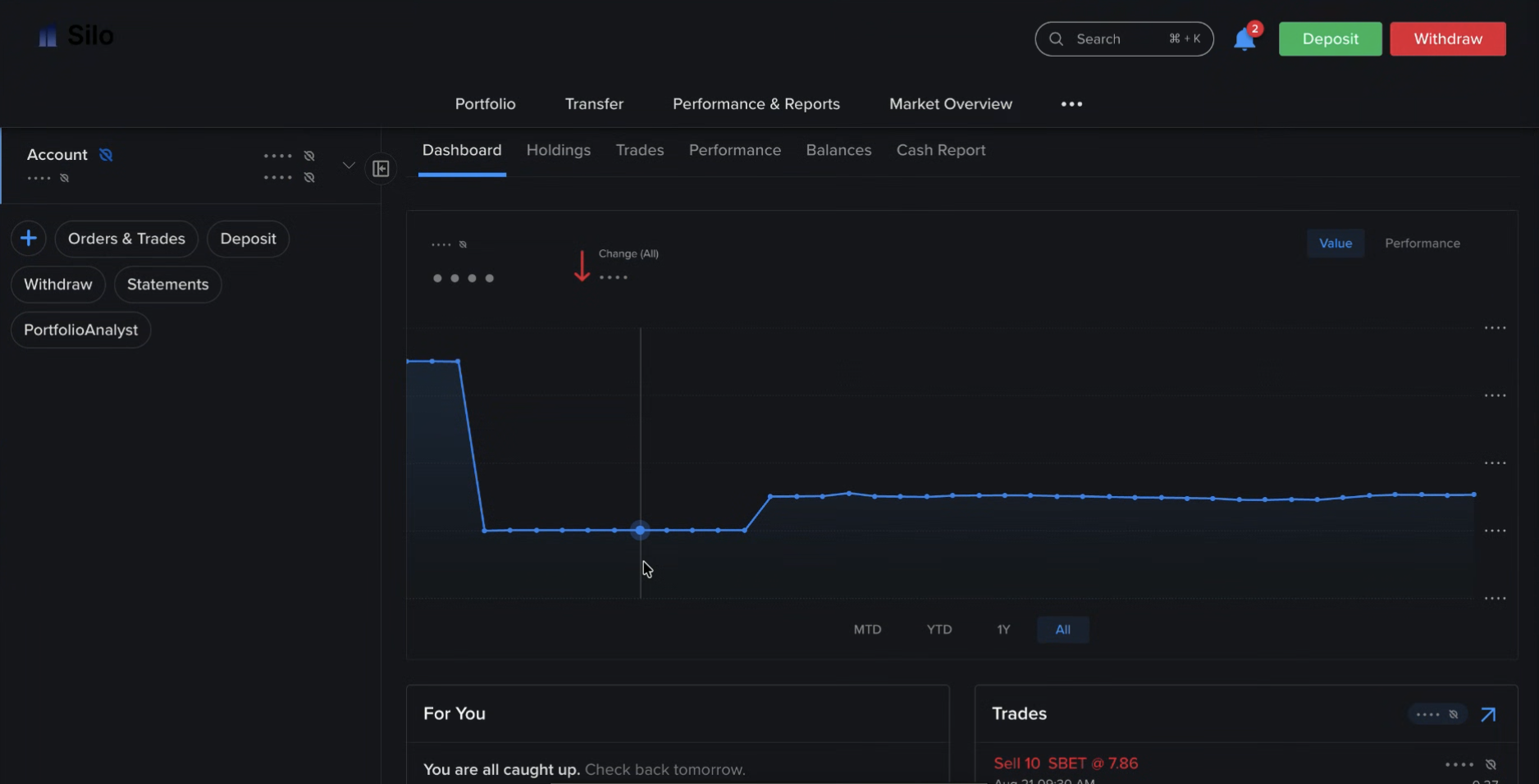
Step 2: Select Trades
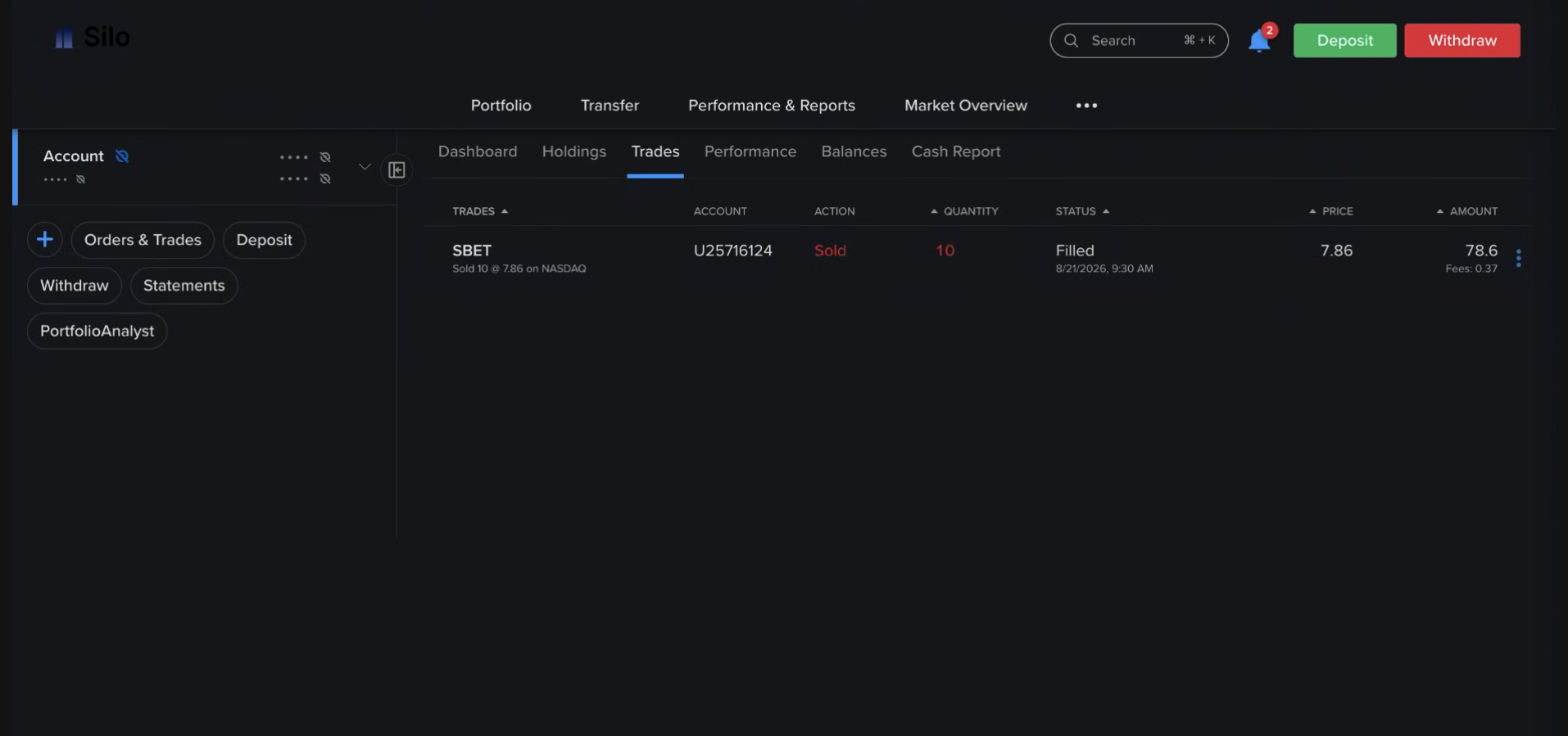
Step 3: You can also view your Portfolio Performance
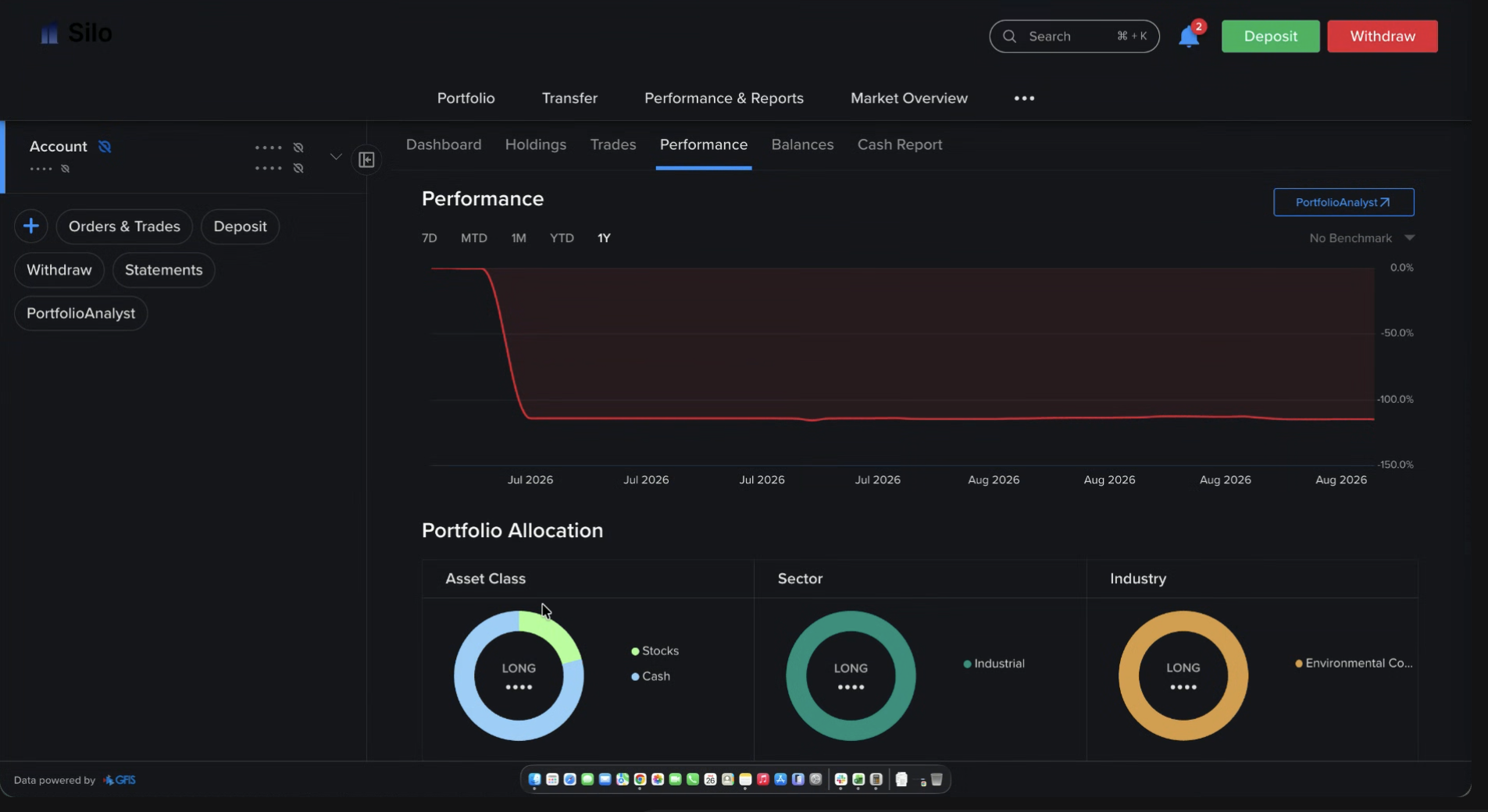
Step 4: View Account Balances
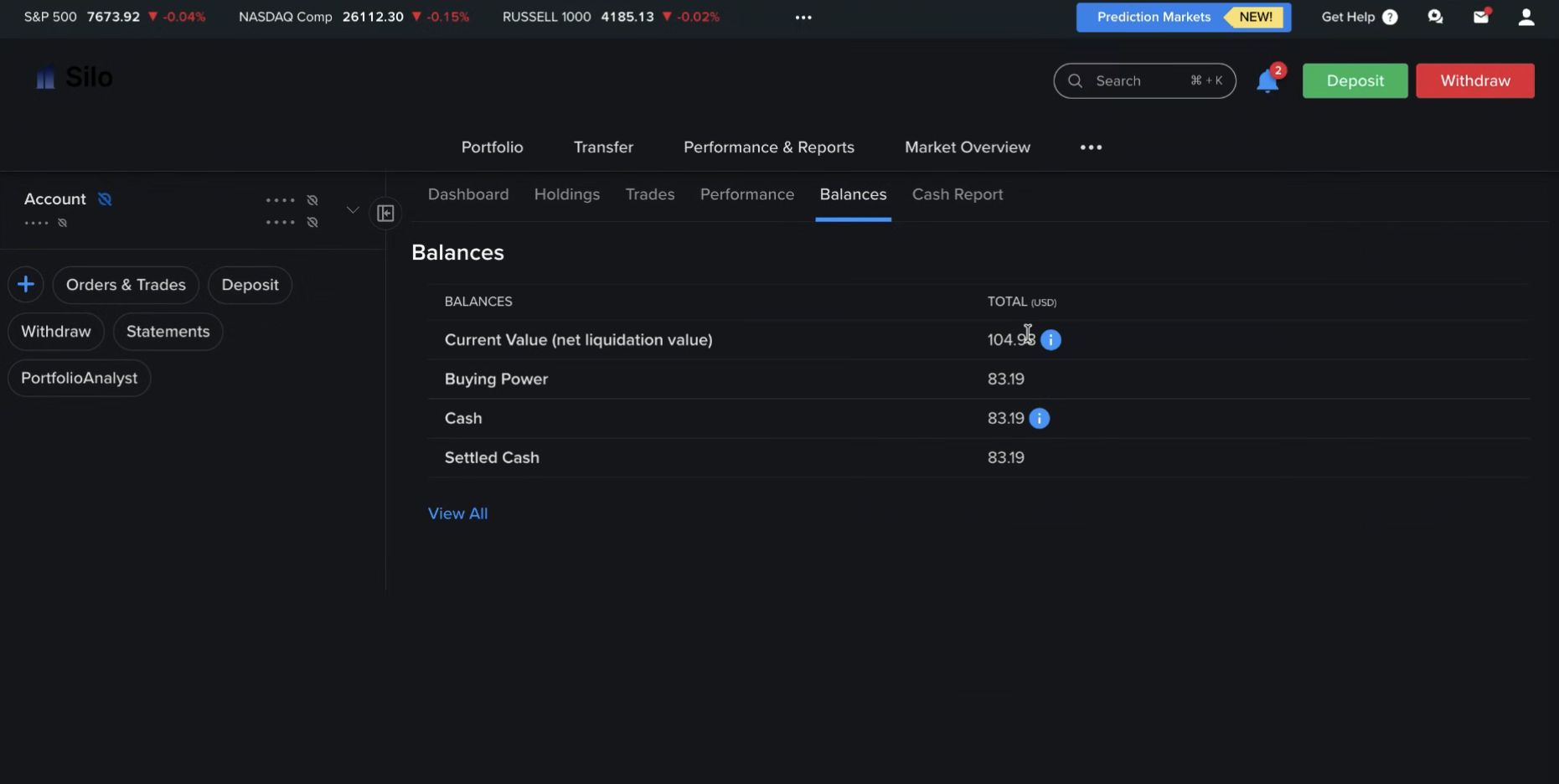
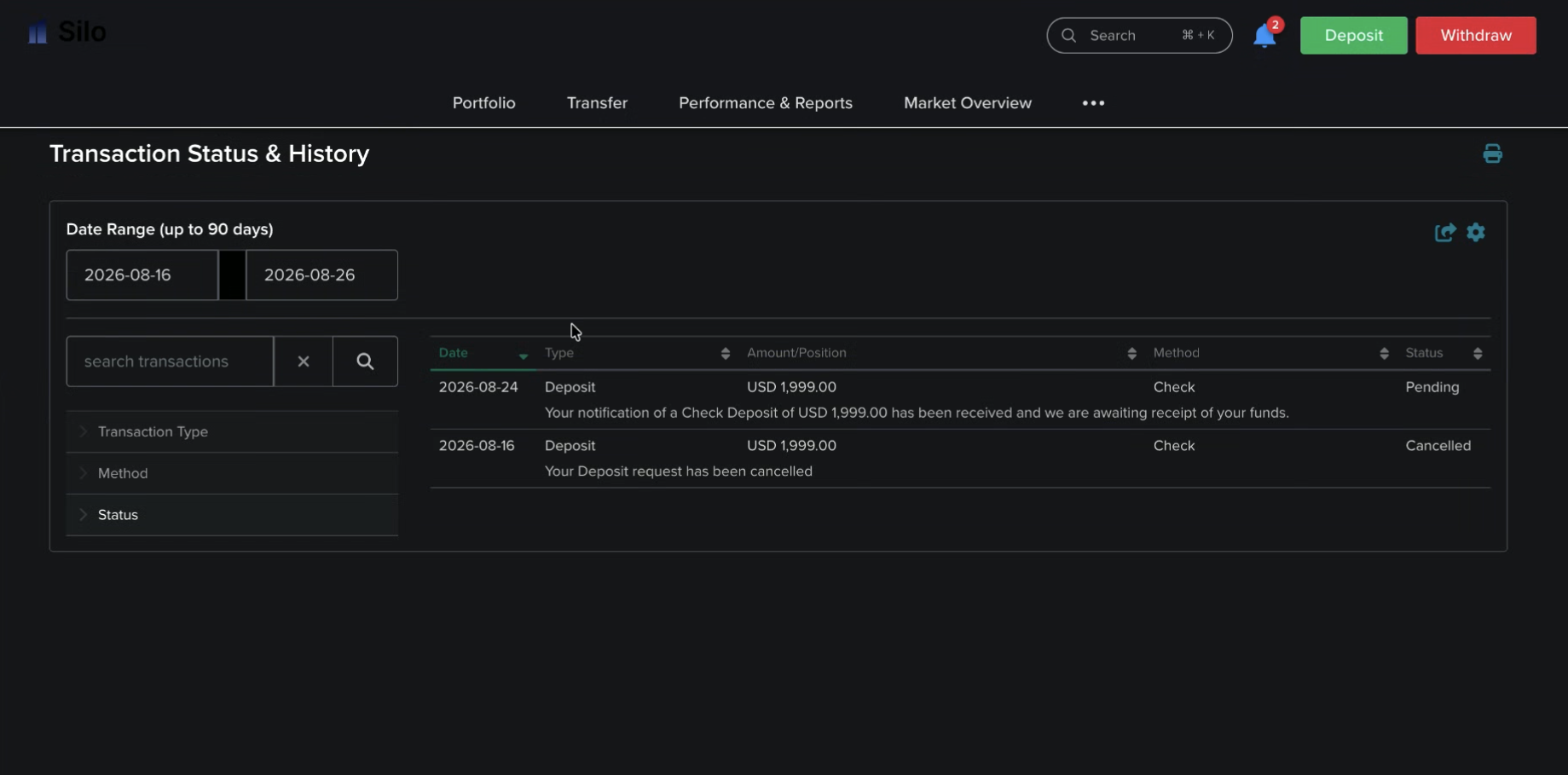
Step 5: Select Transaction Status & History
Conclusion
Placing your first trade through Silo involves selecting an available investment, reviewing the order details, and submitting the trade through the appropriate Silo interface.
You can also browse available investments before funding, and eligible IRA accounts can be used for investing within the applicable retirement-account rules.
