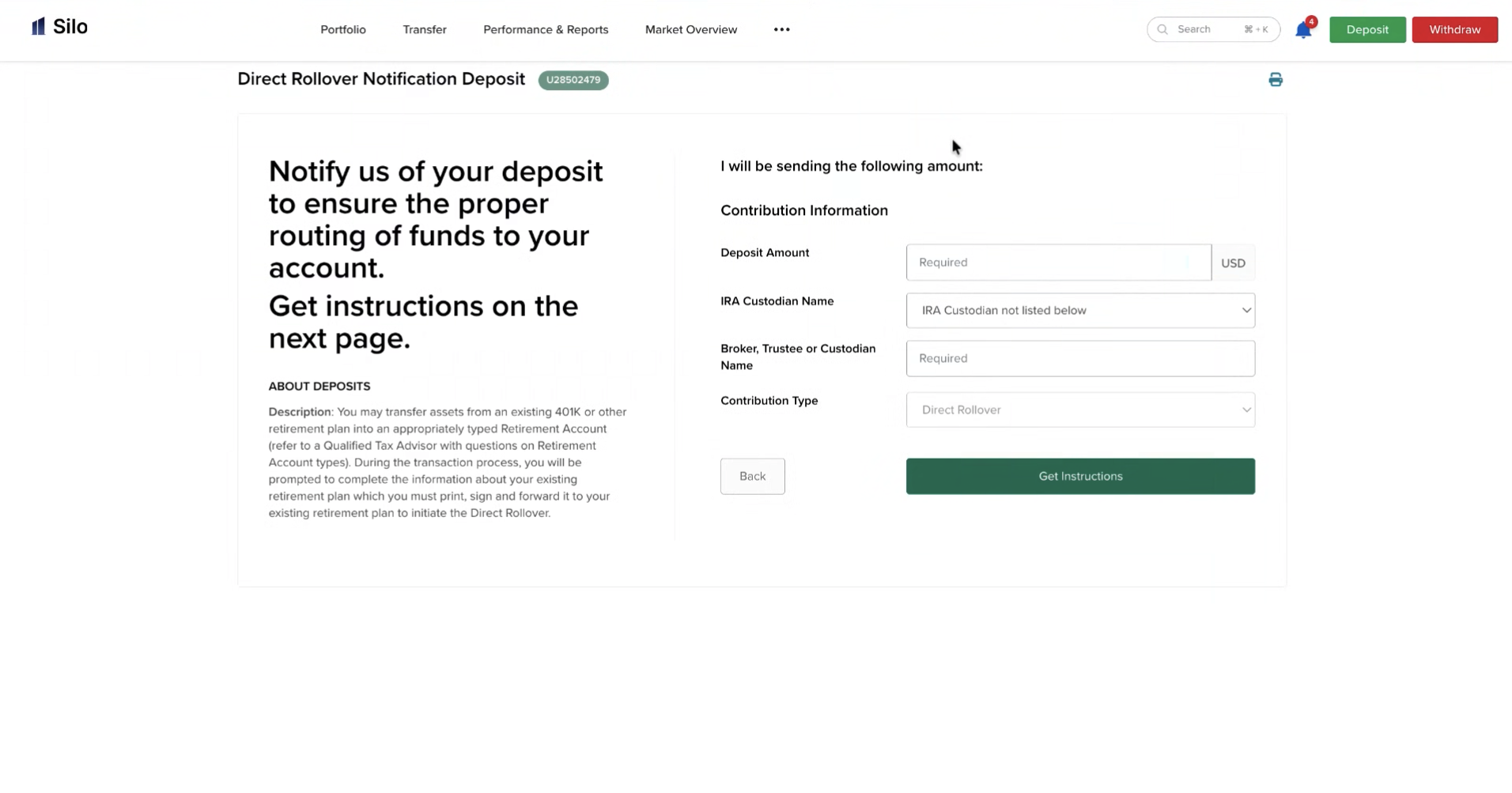
How do I roll over a 401(k) or workplace retirement account?

Rolling over a 401(k) or other workplace retirement plan to Silo Markets can allow you to move eligible retirement assets without taking a taxable distribution, when completed according to applicable tax rules.
The rollover process may require information such as your plan number, account number, check payee, and mailing address. This article explains what information to use, how to handle a rollover check, and how to help avoid accidentally receiving a taxable distribution.
1. What Is the Difference Between a Plan Number and an Account Number?
A plan number identifies the employer's retirement plan, while an account number identifies your individual retirement account within that plan.
When completing rollover paperwork, use the number specifically requested by the form or instructions. If you are unsure which number applies, contact your former employer or retirement-plan administrator.
2. What Should I Put on the Rollover Check?
If your former employer or plan administrator issues a rollover check, the payee information is important.
The check should generally be made payable according to the rollover instructions provided by Silo or the receiving retirement account. Do not make the check payable to yourself unless the instructions specifically tell you to do so.
Use the mailing address provided in Silo's current rollover instructions when sending the check. Mailing instructions can vary, so confirm the current address before sending your rollover.
3. How Do I Deposit a Rollover Check?
After requesting the rollover from your former employer or plan administrator:
- Request a rollover check using the instructions provided for your Silo retirement account.
- Confirm that the check is made payable correctly.
- Confirm that the destination and mailing information are correct.
- Send or deposit the check according to Silo's current rollover instructions.
- Keep your rollover documentation and check information for your records.
- Monitor your Silo account to confirm that the rollover has been received and processed.
If you are unsure whether a check should be mailed directly to Silo or handled another way, contact Silo Support before sending it.
4. How Can I Avoid a Taxable Distribution?
To help avoid an unintended taxable distribution, follow the applicable direct rollover instructions carefully.
A direct rollover generally involves the retirement plan sending the funds directly to the receiving retirement account rather than distributing the money to you personally.
Be especially careful about:
- Making the check payable correctly.
- Using the correct receiving account information.
- Following the rollover instructions provided by Silo.
- Completing the rollover within any applicable deadlines.
- Avoiding depositing rollover funds into a personal bank account unless specifically instructed and permitted under applicable tax rules.
Tax treatment depends on the type of retirement plan, the type of receiving account, and applicable IRS rules. Silo Support can help with the account-transfer process, but you may wish to consult a qualified tax professional regarding your individual tax situation.
Step 1: Transfer Assets Between Accounts. There will be a dropdown if you have another IBKR Account, and you have to select the position
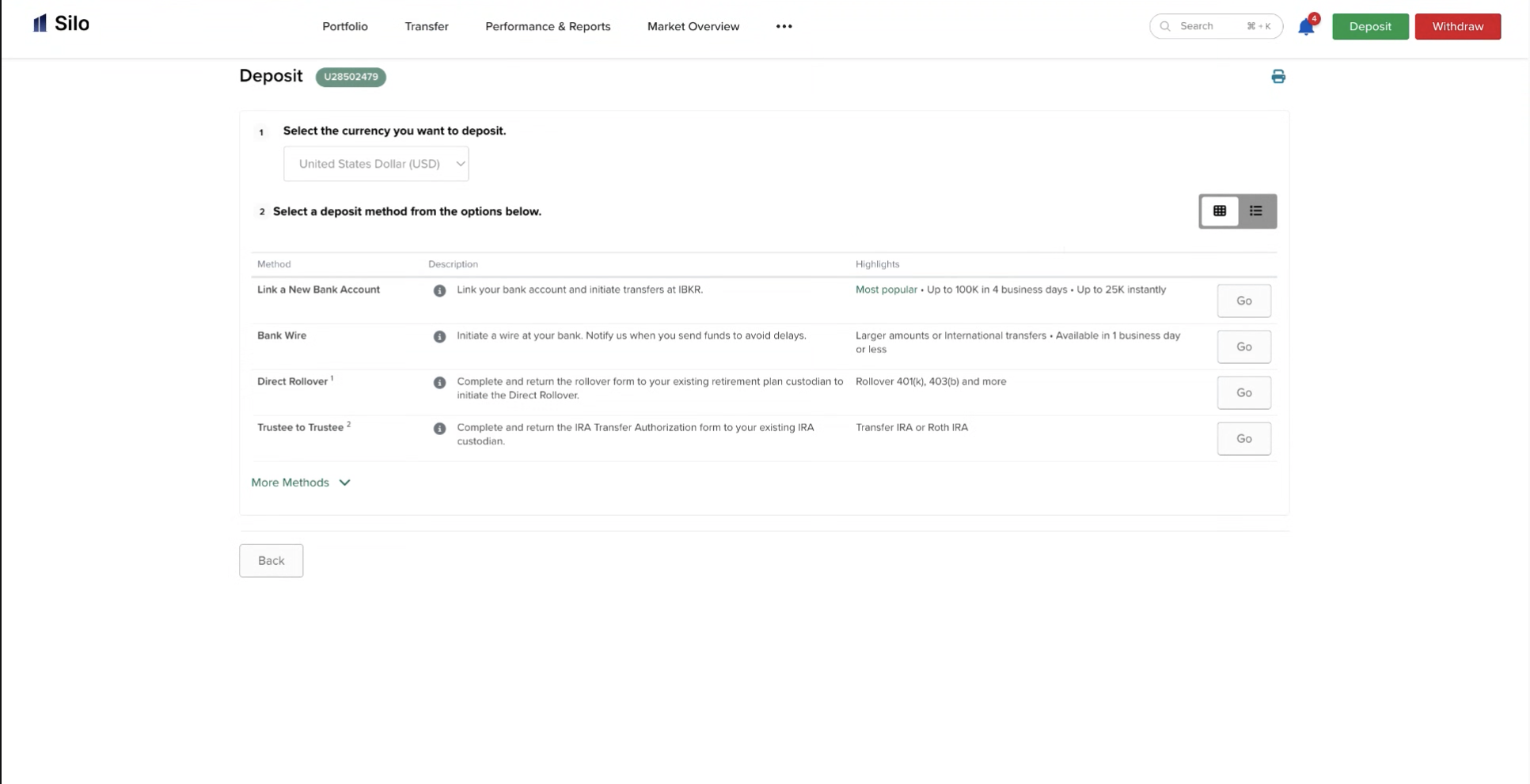
Step 2: Input the approximate balance of the rollover 401k account (e.g., if there is $258,081.87 in your account, enter $258,00)0 This generates the specific instructions needed to initiative the rollover with the employer. They will get a pre-filled (PF) form that contains all necessary account details. The Contra Broker - Receiving Institution will use this information to officially initiate the rollover. If the value of the account fluctuates due to market volatility, create another notification with an up-to-date value.