
How do I update my personal information or account details?

Keeping your personal and account information up to date is an important part of maintaining your Silo account. Accurate information helps ensure that account communications, tax documents, identity verification, and brokerage records are associated with the correct information.
Silo uses Interactive Brokers (IBKR) as its custodian. Because certain account information is maintained as part of your underlying brokerage account, some changes may be completed directly through Silo, while others may require additional verification or assistance from Silo Support.
What Personal Information Can I Update?
Depending on your account and the type of information involved, you may be able to update information such as:
- Mailing address
- Phone number
- Email address
- Employment information
- Marital status
- Employment status
Some information may require additional documentation or verification before the change can be completed.
2. How Do I Update My Information?
To update information that is available for self-service editing:
- Sign in to your Silo account.
- Open your Account Settings or profile section.
- Locate the personal or account information you want to change.
- Select the applicable edit or update option.
- Review the information before submitting the change.
- Complete any verification steps that are requested.
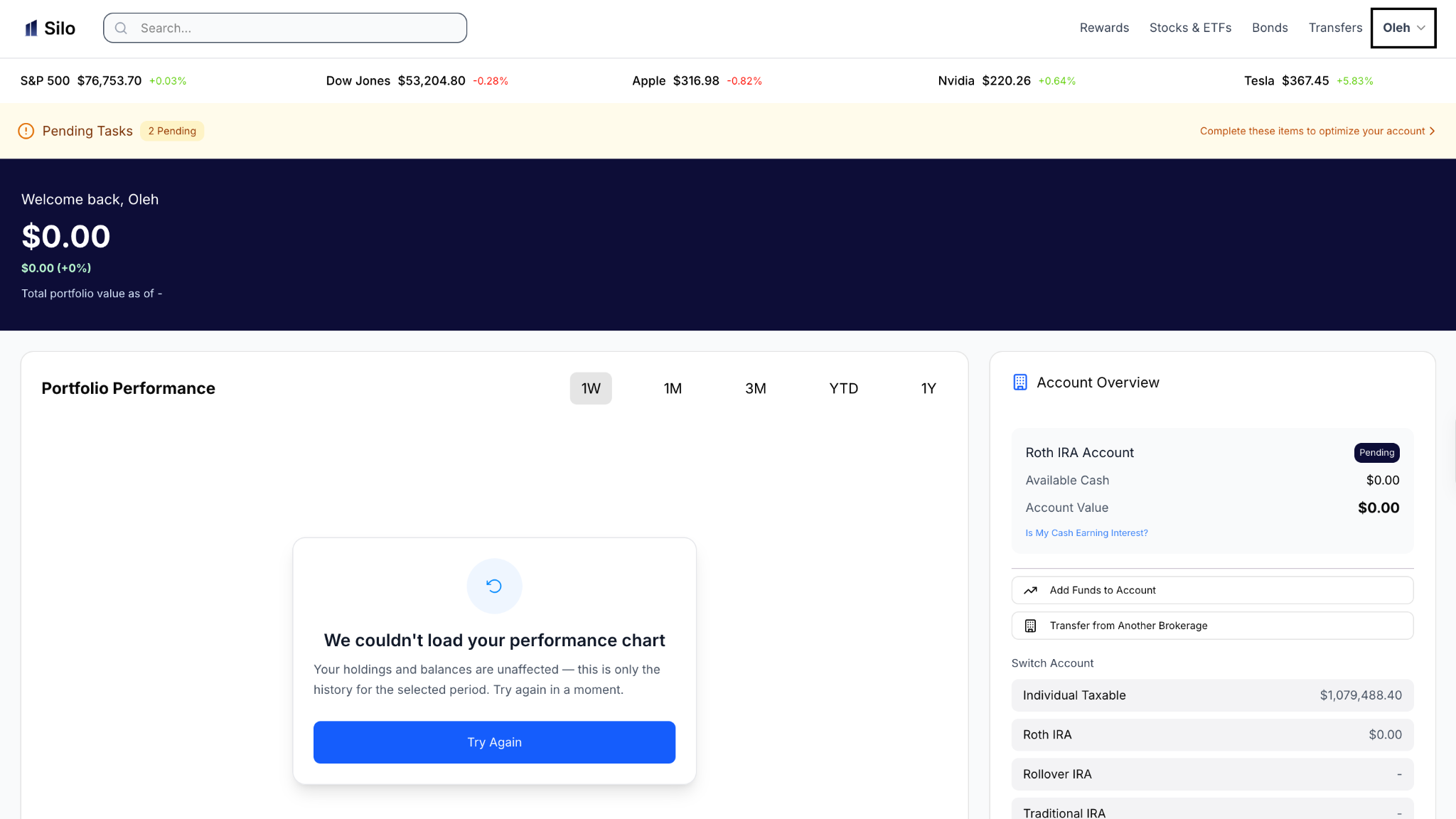
Step 1: Click on Profile Name
Step 2: Click on Profile and make any adjustments to the Account profile as required.
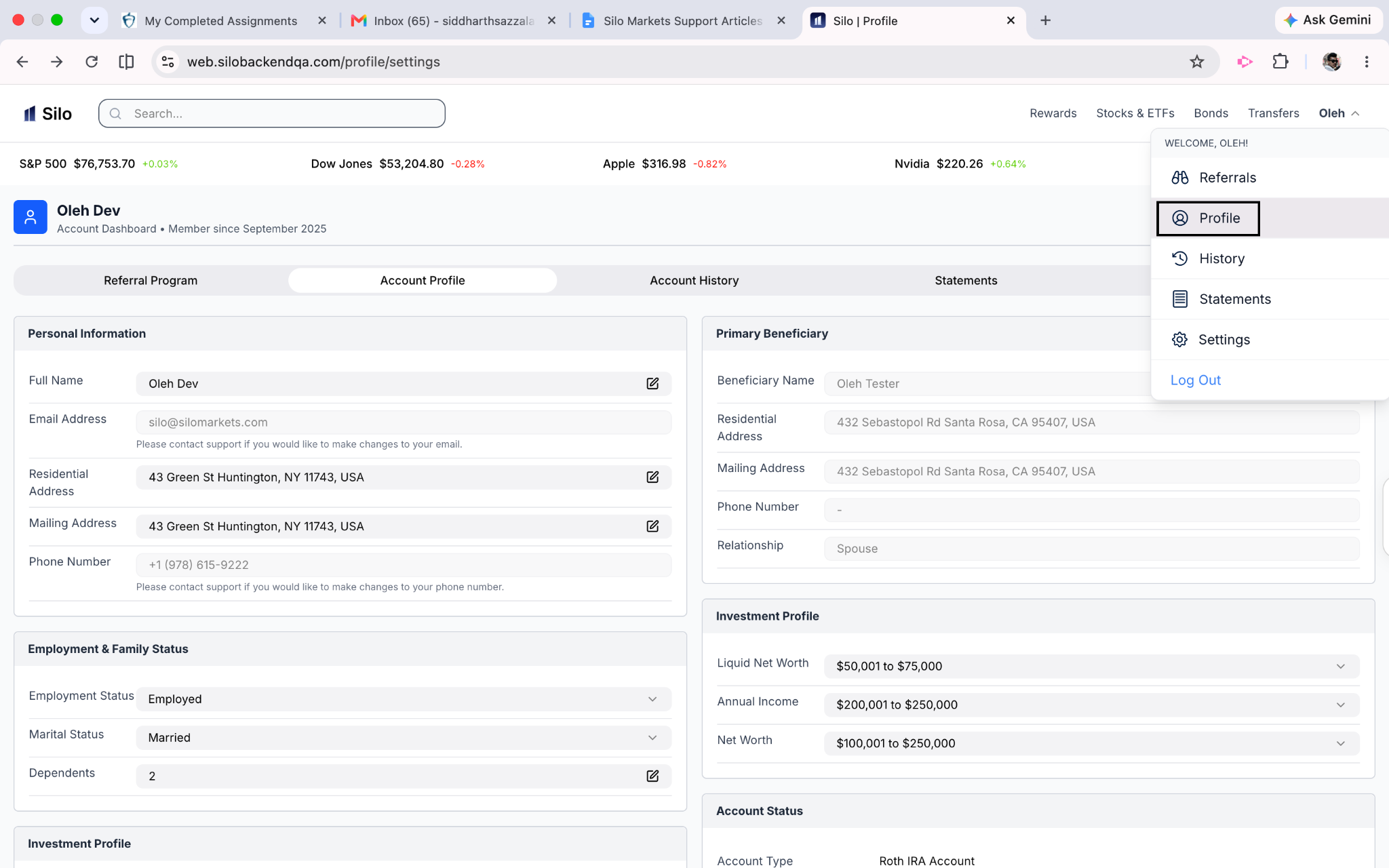
After submitting the change, allow time for the updated information to be reflected across your account.
If the information you need to change does not have an edit option, contact Silo Support rather than attempting to create a new account.
What Happens After I Submit an Account Change?
Some changes may take effect immediately, while others may require review or additional verification.
Depending on the type of change, you may see one of the following:
- The information updates immediately
- The request remains pending while it is reviewed
- Additional verification is requested
- Supporting documentation is required
- Silo Support contacts you for additional information
Please refrain from repeatedly submitting the same request while a previous request is being reviewed. If you are unsure whether your request was received, contact Silo Support.
Why Is Additional Verification Sometimes Required?
Additional verification helps protect your account and supports applicable brokerage and regulatory requirements.
For certain changes, Silo or IBKR may need to confirm that the request is being made by the authorized account holder.
Verification may involve confirming information already associated with your account or providing supporting documentation.
Never provide account credentials, passwords, or security codes to another person claiming they can update your information for you.
What Documents Might I Need?
The documentation required depends on the type of information you are changing.
For certain requests, you may be asked to provide documentation that verifies the requested change.
Examples can include documentation supporting:
- A legal name change
- Updated identity information
- Changes in residential or mailing address
Silo Support will provide instructions on what documentation is required for your specific request.
Only provide documentation through an official Silo-supported channel.
What If My Information Is Incorrect?
If you notice that information associated with your account is incorrect, review your account settings first to determine whether you can correct it yourself.
If you cannot edit the information, contact Silo Support and provide:
- The type of information that appears incorrect.
- What the information should be.
- When you noticed the issue.
- Any relevant transaction or account details.
Do not include unnecessary sensitive information in your initial support request.
What If I Recently Moved to Another State?
If you move, update your residential or mailing address as applicable.
A change of state can affect certain account and tax-related information, so it is important to ensure that the appropriate records are updated.
If your new address cannot be entered directly through Silo, contact Silo Support for assistance.
Can I Change My Information Through Silo Support?
Yes, certain changes may require assistance from Silo Support rather than being completed through the Silo interface. Support can explain the applicable process and let you know whether additional verification or documentation is required.
However, support representatives may not be able to immediately change certain regulated account information without completing the required verification process.
What If I Need to Change Multiple Pieces of Information?
If several pieces of your information need to be updated, it is generally best to identify all required changes when contacting Silo Support.
For example, if you have legally changed your name and moved to a new address, mention both changes rather than submitting incomplete or separate requests without context. This can help ensure that the appropriate account records are reviewed together.
What Should I Do If I Did Not Request a Change?
If you receive a notification about a change to your personal or account information that you did not authorize, treat it as a potential account-security issue.
Contact Silo Support as soon as possible and explain what occurred.
You should also secure your account using the available account-security features and avoid sharing your login credentials or verification codes with anyone.
